***This document provides helpful tips to improve your site's accessibility. While it doesn’t guarantee 100% compliance, it’s a great starting point to make your website more inclusive and user-friendly.***
Identification
Certain ARIA roles must contain particular children elements (Rule ID: aria-required-children)
Applicable Standards
WCAG 2.0, 2.1, 2.2 Level A (1.3.1)
EN 301 549
WAI-ARIA 1.1
Impact
Critical level impact affecting:
Blind users
Deafblind users
Users with mobility impairments
Proper Implementation
Elements with specific ARIA roles must contain required child elements with appropriate roles. Key relationships can be established through:
DOM hierarchy
ARIA relationship attributes
Proper parent-child role combinations
Examples of Correct Usage
role="list"Containsrole="listitem":role="list" contains role="listitem" elements, ensuring the hierarchy is correct and screen readers announce the list structure properly.

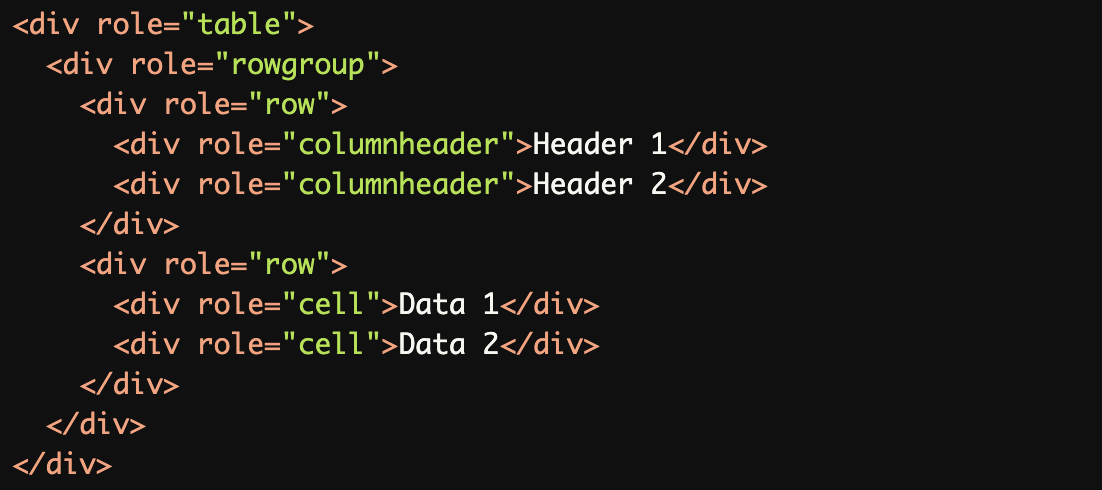
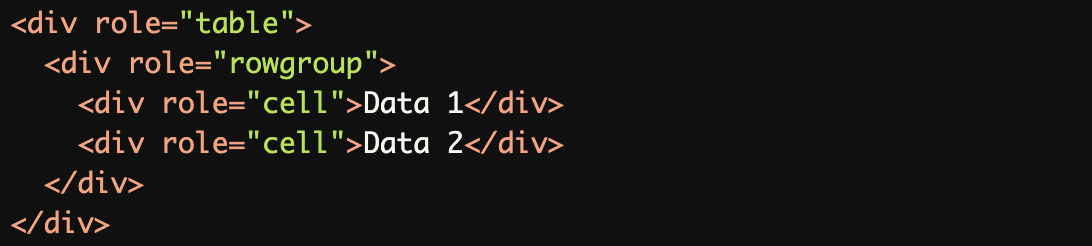
role="table"Containsrole="rowgroup"androle="row":role="table" correctly contains role="rowgroup", which in turn contains role="row" and its children (role="cell" and role="columnheader").
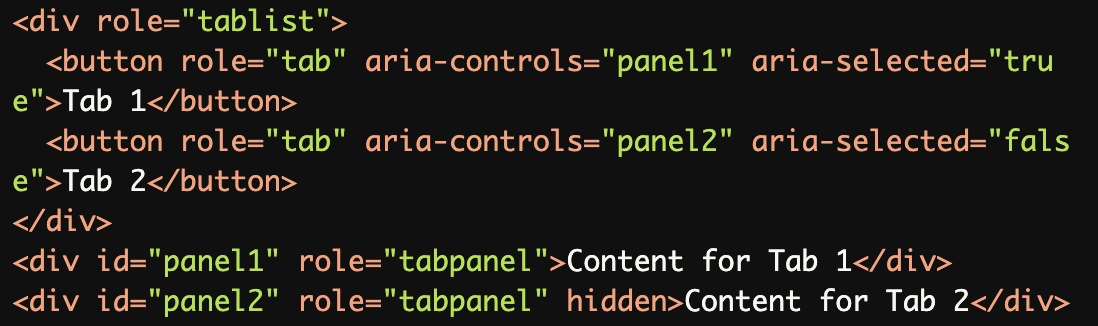
role="tablist"Containsrole="tab"androle="tabpanel":role="tablist" contains role="tab" elements, and each role="tab" is associated with its corresponding role="tabpanel".
role="menu"Containsrole="menuitem":role="menu" contains role="menuitem" elements, ensuring the menu structure is accessible.

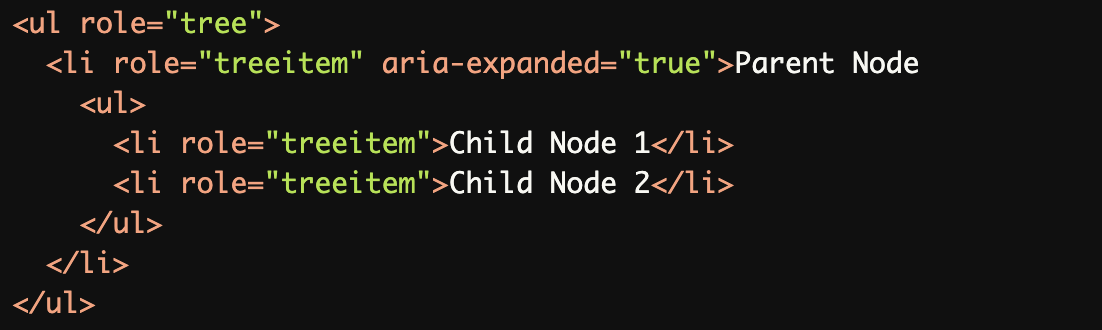
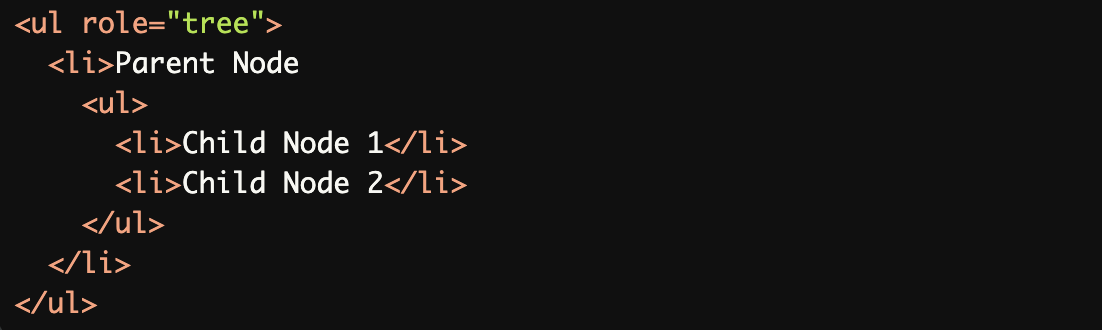
role="tree"Containsrole="treeitem":role="tree" contains role="treeitem" elements, and nested role="treeitem" elements form a proper hierarchy.
Common Errors to Avoid
role="list"Withoutrole="listitem":role="list" must contain role="listitem" elements. Using <div> instead of role="listitem" breaks the hierarchy.

role="rowgroup"Withoutrole="row":role="rowgroup" must contain role="row" elements. Placing role="cell" directly inside role="rowgroup" is incorrect.
role="tablist"Withoutrole="tab"orrole="tabpanel":role="tablist" must contain role="tab" elements. Using plain <div> elements instead of role="tab" makes the structure inaccessible.

role="menu"Withoutrole="menuitem":role="menu" must contain role="menuitem" elements. Using plain <li> elements without role="menuitem" breaks the accessibility of the menu.

role="tree"Withoutrole="treeitem":role="tree" must contain role="treeitem" elements. Using plain <li> elements instead of role="treeitem" causes screen readers to misinterpret the structure.
Rationale
Ensures proper semantic structure
Enables correct interpretation by assistive technologies
Maintains context and relationships
Facilitates proper navigation
Critical for interactive components
Evaluation Method
Inspect the Code
Verify that:
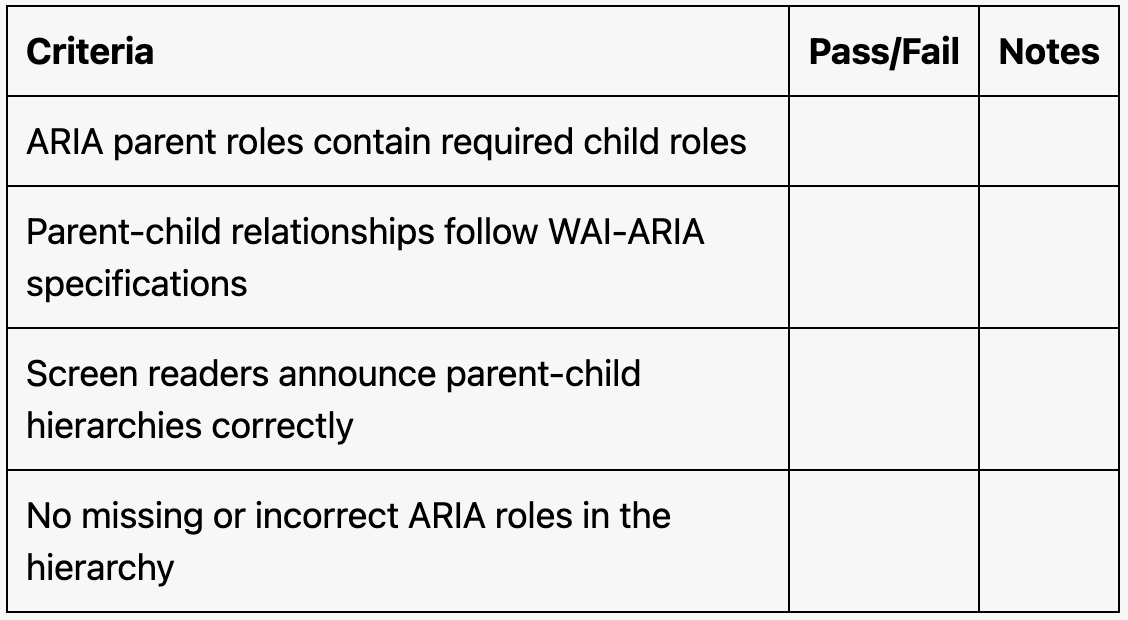
ARIA parent roles contain the required child roles.
The hierarchy matches the WAI-ARIA specification for each role.
Relationships are clear and logical.
Test with Assistive Technology
Use a screen reader (e.g., NVDA, JAWS, or VoiceOver) to confirm:
Parent-child relationships are announced correctly.
Interactive elements behave as expected within their hierarchical roles.
Evaluation Checklist