***This document provides helpful tips to improve your site's accessibility. While it doesn’t guarantee 100% compliance, it’s a great starting point to make your website more inclusive and user-friendly.***
Identification
Elements with role="text" must not have focusable descendants (Rule ID: aria-text)
Applicable Standards
Deque Best Practice
Impact
Serious level impact affecting:
Blind users
Users with mobility impairments
Proper Implementation
Apply role="text" to elements that contain text nodes split by markup
Ensure elements with role="text" do not contain any focusable elements
Use role="text" to ensure screen readers read split text as a single phrase
Examples of Correct Usage
Using
role="text"for Split Text:role="text"is used to ensure screen readers announce the content ("Welcome to our website") as a single phrase, even though it is split into multiple spans.

Avoiding Focusable Elements Within
role="text":The role="text" element contains only static text, with no focusable descendants, ensuring proper screen reader behavior.

Using
role="text"for Non-Interactive Inline Markup:role="text"is applied to a container with inline styling, ensuring the entire text block is read as a single unit by screen readers.

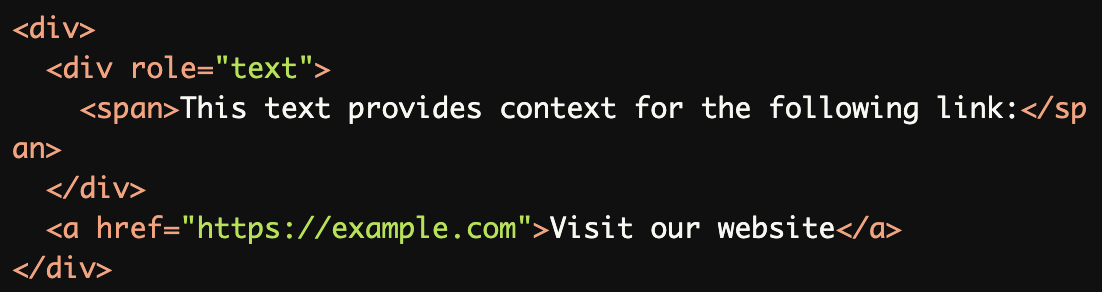
Interactive Elements Outside
role="text":Interactive elements like links are placed outside the role="text" container to ensure they remain focusable.
Wrapping Plain Text with
role="text":role="text" ensures the email address and surrounding text are announced as a single phrase without interruptions for markup.

Common Errors to Avoid
Including Focusable Elements Inside
role="text":Focusable elements like the <a> tag must not be placed inside a role="text" container, as screen readers may not properly recognize the link.

Misusing
role="text"on Interactive Containers:
Interactive elements like<button>must not be placed insiderole="text", as it disrupts focus management and screen reader behavior.

Nesting
role="text"Elements Incorrectly:
Nestingrole="text"elements creates ambiguity for screen readers, which may result in improper text announcement.

Using
role="text"Without a Purpose:
Applyingrole="text"to a container without split text or a specific need is unnecessary and can cause confusion.

Mixing Static and Focusable Content:
Static text and focusable content (like the link) must be separated, asrole="text"is not designed for interactive elements.

Rationale
Screen readers like VoiceOver treat split text nodes as separate phrases
role="text" combines split text nodes into a single announcement
Focusable descendants within role="text" create empty tab stops
Empty tab stops provide no meaningful announcement (name, role, or value)
Maintains proper interaction model and navigation flow
Evaluation Method
Inspect the Code
Verify that:
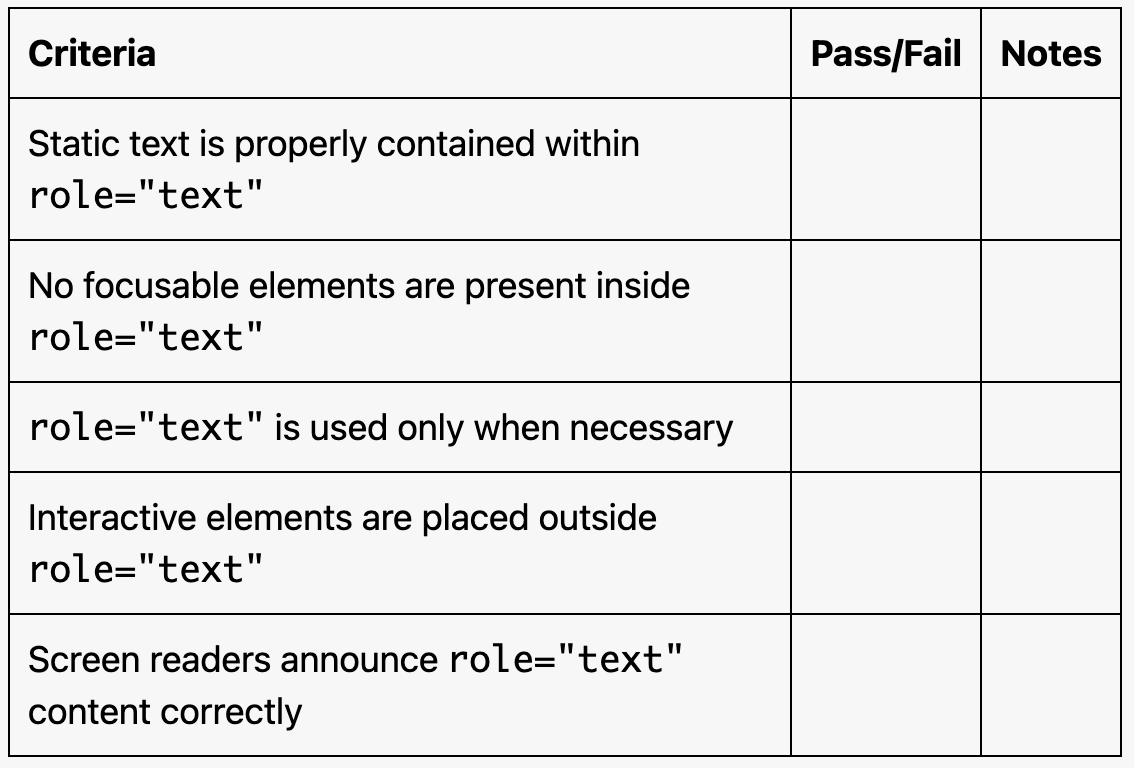
role="text"is used only on containers with split or inline text.The container does not include any focusable elements (e.g., links, buttons).
The purpose of
role="text"is clear and intentional.
Test with Assistive Technology
Use a screen reader (e.g., NVDA, JAWS, or VoiceOver) to confirm:
Text within
role="text"elements is announced as a single, cohesive phrase.All interactive elements outside
role="text"are focusable and announced correctly.
Evaluation Checklist