***This document provides helpful tips to improve your site's accessibility. While it doesn’t guarantee 100% compliance, it’s a great starting point to make your website more inclusive and user-friendly.***
Identification
Definition Terms (<dt>) and Definitions (<dd>) must be contained within Definition Lists (<dl>) (Rule ID: dlitem)
Applicable Standards
WCAG 2.0, 2.1, 2.2 Level A (1.3.1)
EN 301 549
Impact
Serious level impact affecting:
Blind users
Deafblind users
Users with mobility impairments
Proper Implementation
All
<dt>and<dd>elements must be wrapped in a<dl>parentMaintain proper hierarchical structure
Follow correct term-definition sequence
Ensure proper nesting of elements
Examples of Correct Usage
Properly Nesting
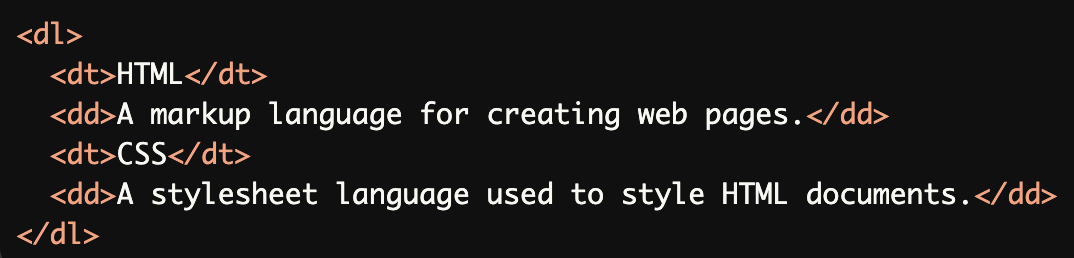
<dt>and<dd>Within<dl>:Both <dt> (terms) and <dd> (definitions) are correctly nested within a <dl> element, ensuring proper structure.
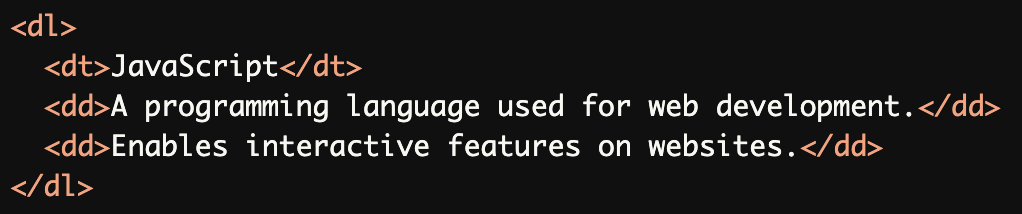
Multiple Definitions for a Single Term:
A single term (<dt>) is followed by multiple definitions (<dd>), which is valid and accessible.
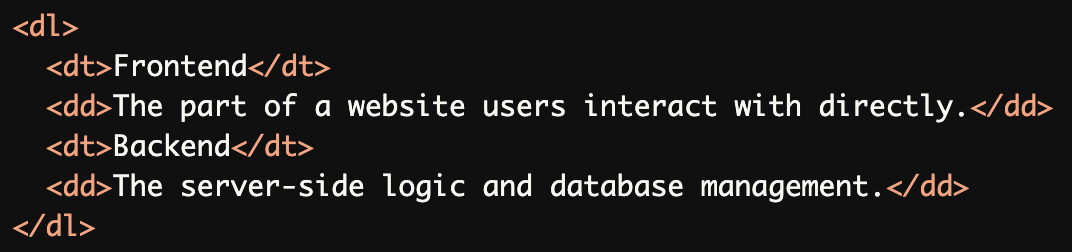
Grouping Terms and Definitions:
Terms (<dt>) and their definitions (<dd>) are grouped logically and consistently within a<dl>element.
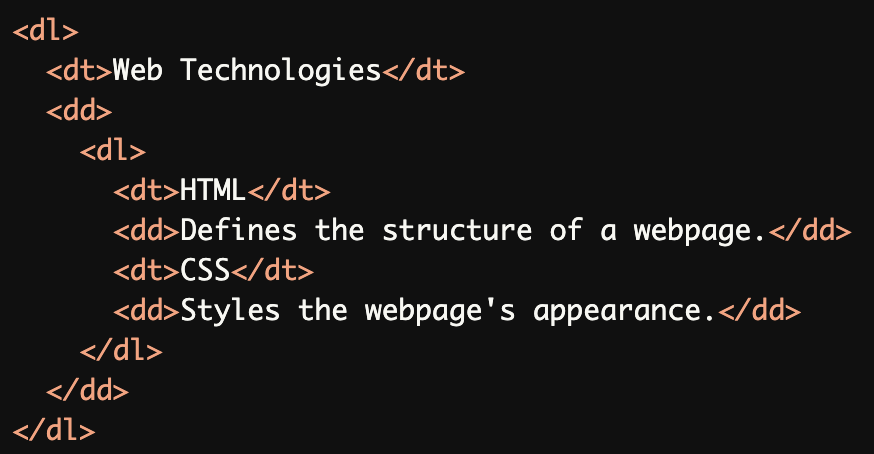
Nested Definition Lists:
A nested<dl>is used to define related terms and definitions within a broader term, maintaining proper hierarchy.
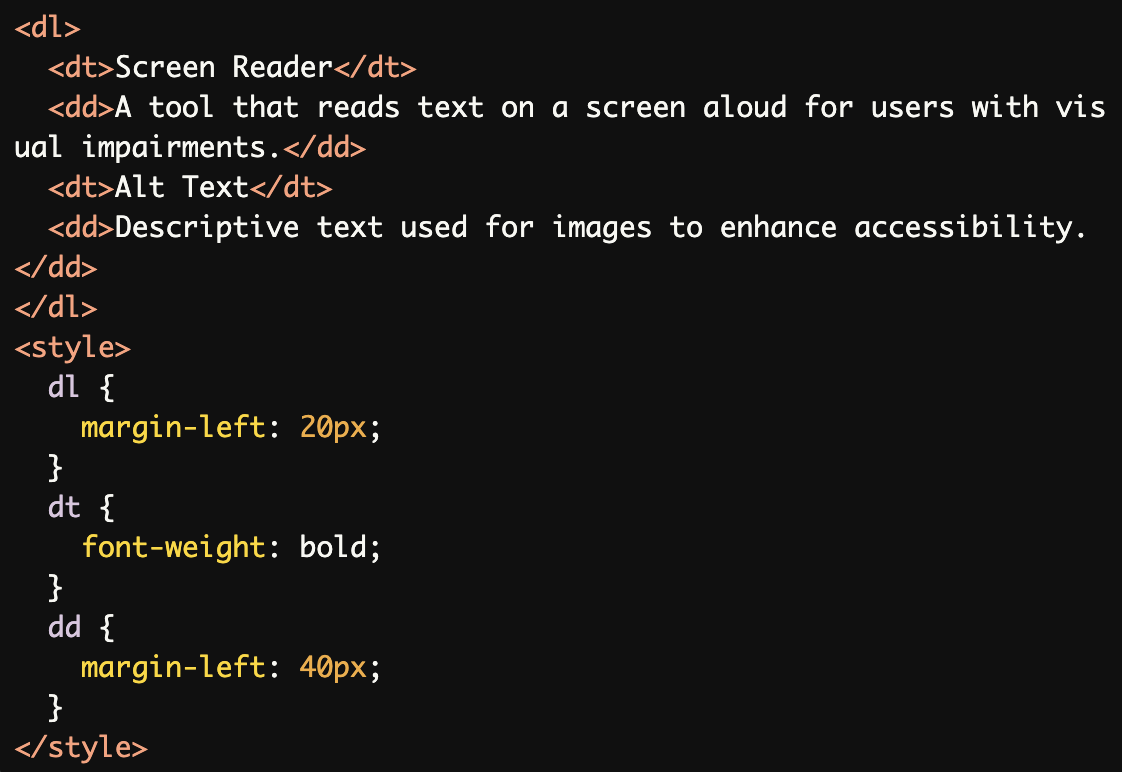
Accessible Styling for Definition Lists:
Proper styling ensures the<dl>,<dt>, and<dd>elements are visually clear while maintaining their semantic structure.
Common Errors to Avoid
Missing
<dl>Parent:
The<dt>and<dd>are not wrapped in a<dl>element, breaking the structure and making it inaccessible to screen readers.

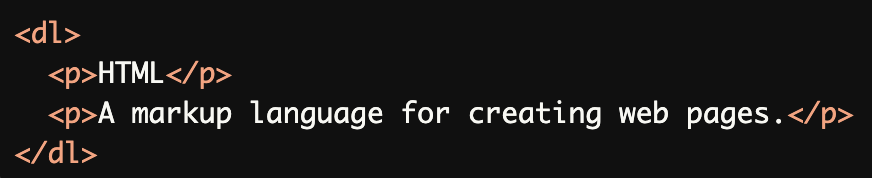
Using
<dl>Without<dt>or<dd>:Using non-definition elements (e.g., <p>) inside a <dl> violates the semantic purpose of the definition list.
Incorrect Order of
<dt>and<dd>:A <dd> (definition) appears before its corresponding <dt> (term), disrupting the logical sequence.

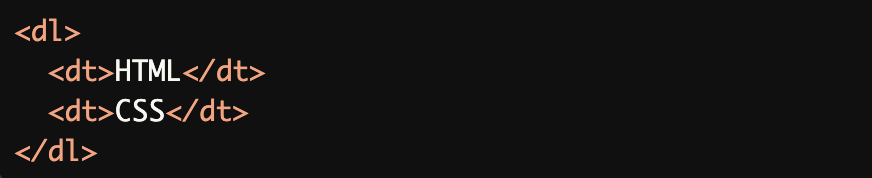
Multiple Terms Without Definitions:
Multiple<dt>elements are listed without any corresponding<dd>(definitions), leaving the terms undefined.
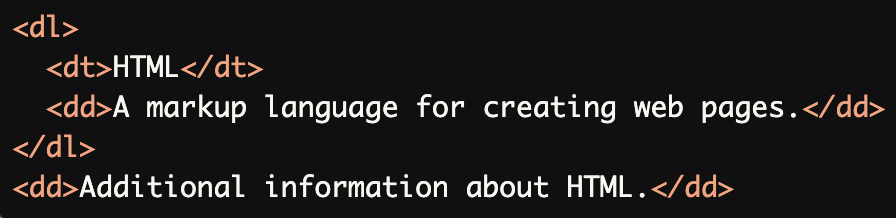
Improper Nesting of Elements:
The second<dd>is outside the<dl>element, breaking the relationship between the term and its definition.
Rationale
Ensures proper semantic structure
Enables correct screen reader interpretation
Maintains logical relationship between terms and definitions
Provides clear hierarchical organization
Supports assistive technology navigation
Evaluation Method
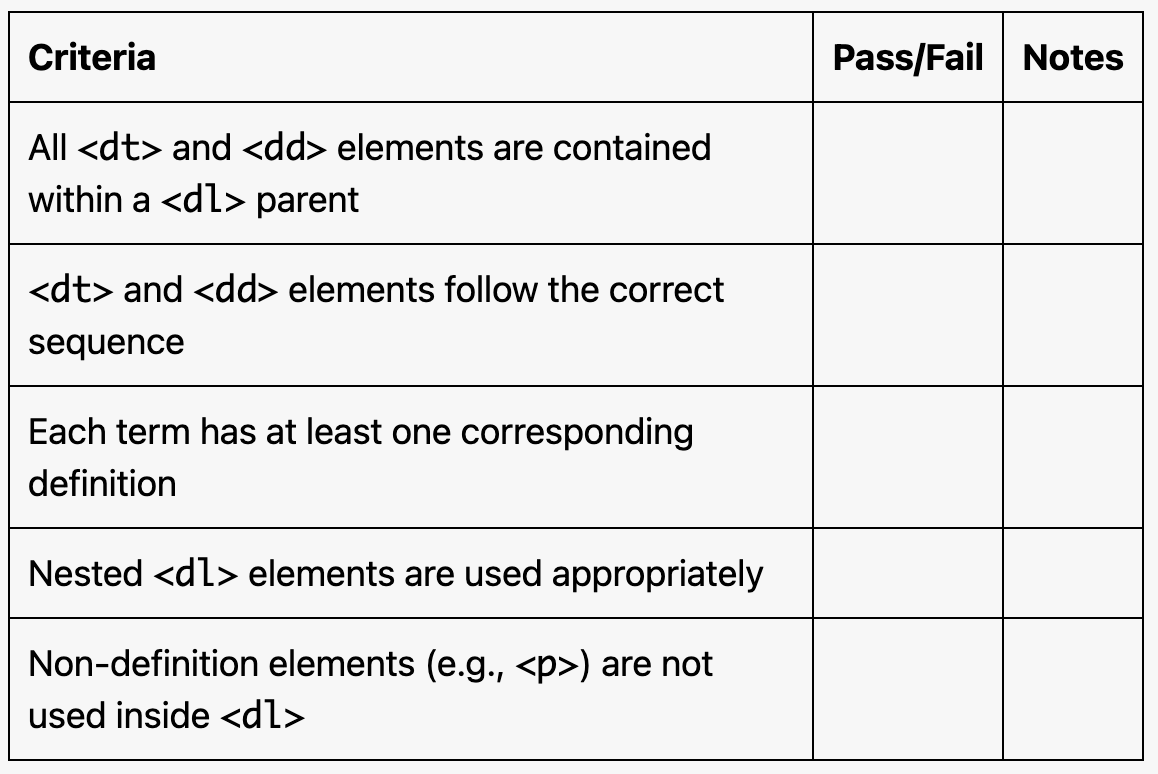
Inspect the Code
Verify that:
All
<dt>and<dd>elements are wrapped in a<dl>parent.The sequence is correct:
<dt>(term) is always followed by<dd>(definition).Nested
<dl>elements are used appropriately when needed.
Test with Assistive Technology
Use a screen reader (e.g., NVDA, JAWS, or VoiceOver) to confirm:
<dt>elements are announced as terms.<dd>elements are announced as definitions.Nested lists are read in a logical order.
Evaluation Checklist