***This document provides helpful tips to improve your site's accessibility. While it doesn’t guarantee 100% compliance, it’s a great starting point to make your website more inclusive and user-friendly.***
Identification
Definition lists (<dl>) must contain properly-ordered <dt> and <dd> groups (Rule ID: definition-list)
Applicable Standards
WCAG 2.0, 2.1, 2.2 Level A (1.3.1)
EN 301 549
Impact
Serious level impact affecting:
Blind users
Deafblind users
Proper Implementation
Definition lists must:
Contain only
<dt>and<dd>elements, or<div>,<script>,<template>Maintain proper ordering (
<dt>followed by<dd>)Have at least one
<dd>element for each<dt>Use proper nesting structure
Examples of Correct Usage
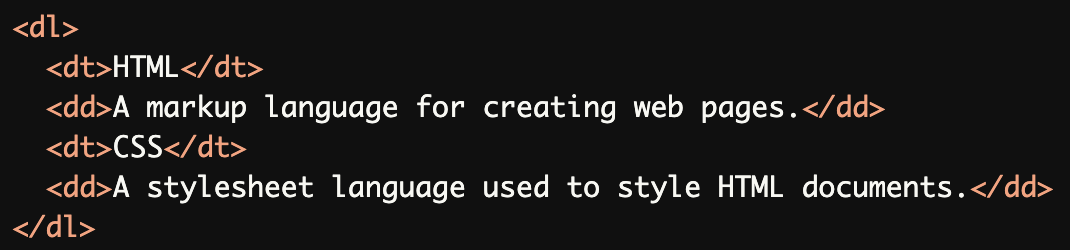
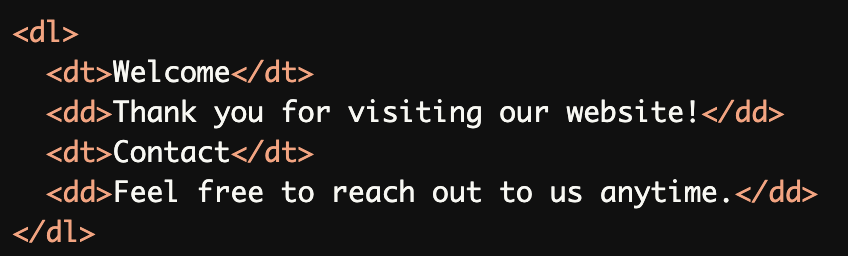
Properly Ordered
<dt>and<dd>Groups:
Each<dt>(term) is followed by a<dd>(definition), ensuring proper order and accessibility.
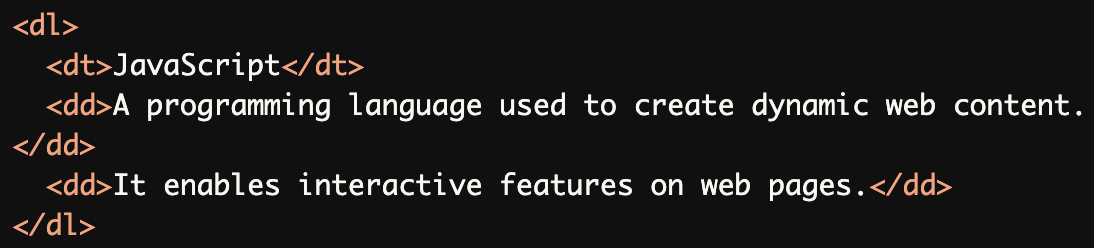
Multiple Definitions for a Single Term:
A single<dt>(term) with multiple<dd>(definitions) is properly structured, which is valid in a<dl>.
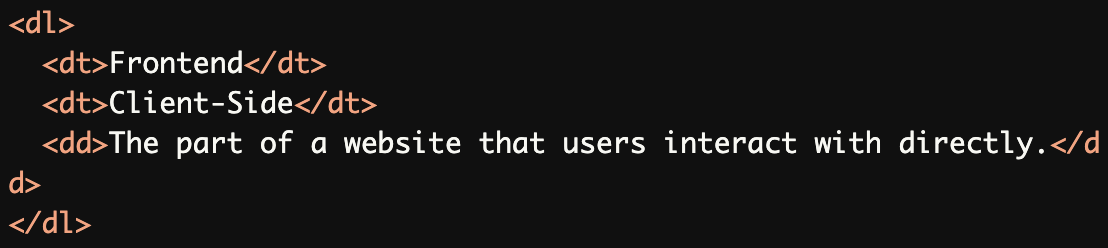
Single Definition for Multiple Terms:
Multiple<dt>elements share a single<dd>definition, which is valid and accessible.
Allowed Elements Inside
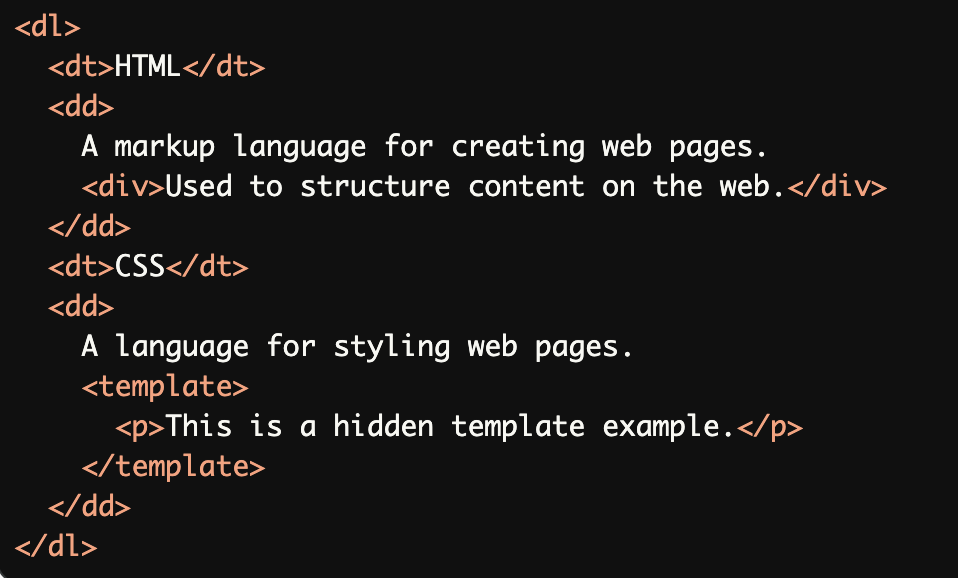
<dl>:Allowed elements like <div> and <template> are used inside <dd> to enhance content without breaking structure.
Nested Definition Lists:
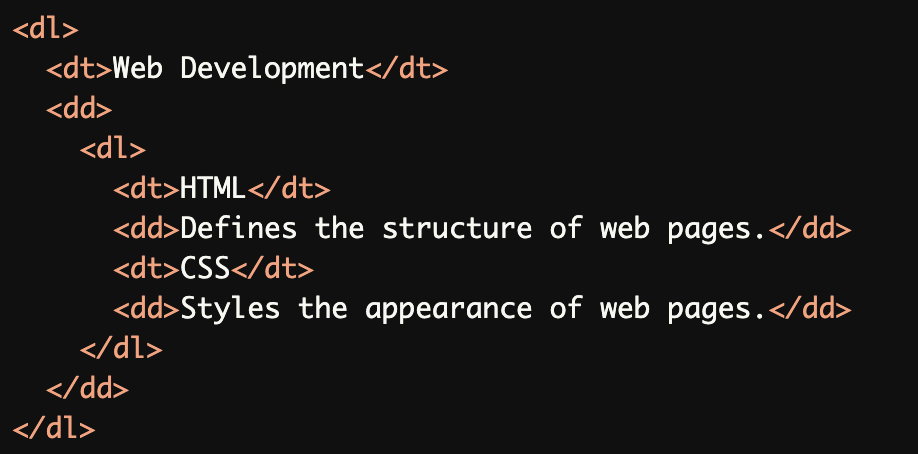
A nested<dl>is used to define terms and definitions within a broader term while maintaining proper structure.
Common Errors to Avoid
Missing
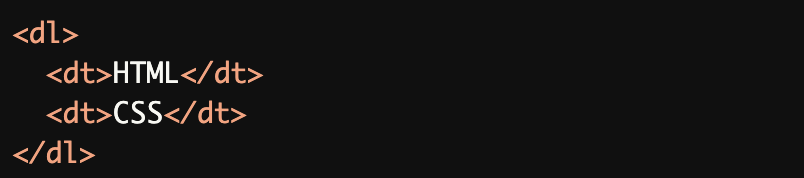
<dd>for a<dt>:Both <dt> elements lack corresponding <dd> definitions, making the list incomplete and inaccessible.
Incorrect Order of
<dt>and<dd>:A <dd> element appears before its corresponding <dt>, breaking the logical structure of the definition list.

Non-Allowed Elements Inside
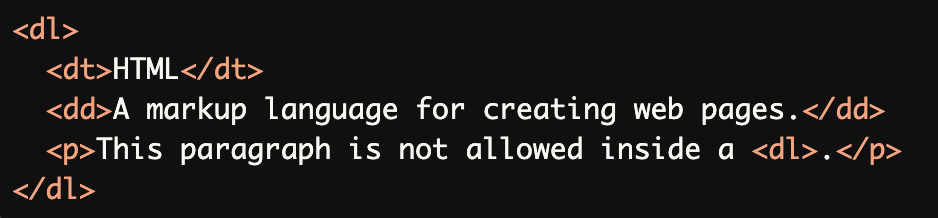
<dl>:Non-allowed elements like <p> are included inside a <dl>, which violates the definition list structure.
<dl>Used for Non-Definition Content:
The<dl>is used for non-definition content, such as headings and general text, which is not its intended purpose.
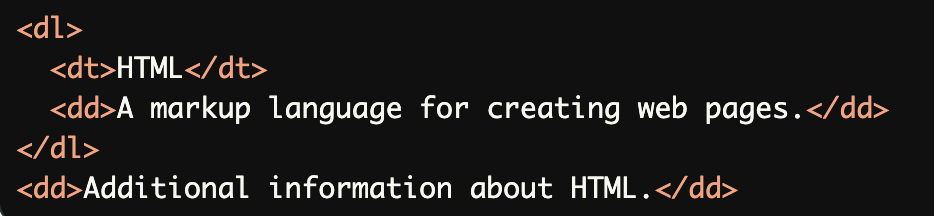
Improper Nesting of Elements:
The second<dd>is outside the<dl>element, breaking the relationship between the term and its definition.
Rationale
Ensures proper screen reader interpretation
Maintains semantic relationship between terms and definitions
Provides clear structure for term-definition pairs
Essential for accurate content comprehension
Evaluation Method
Inspect the Code
Verify that:
All
<dt>and<dd>elements are contained within a<dl>parent.Each
<dt>has at least one corresponding<dd>.Elements are ordered correctly, with
<dt>followed by<dd>.Only allowed elements (e.g.,
<div>,<template>) are used inside<dl>.
Test with Assistive Technology
Use a screen reader (e.g., NVDA, JAWS, or VoiceOver) to confirm:
<dt>elements are announced as terms.<dd>elements are announced as definitions.Nested lists are read in a logical order.
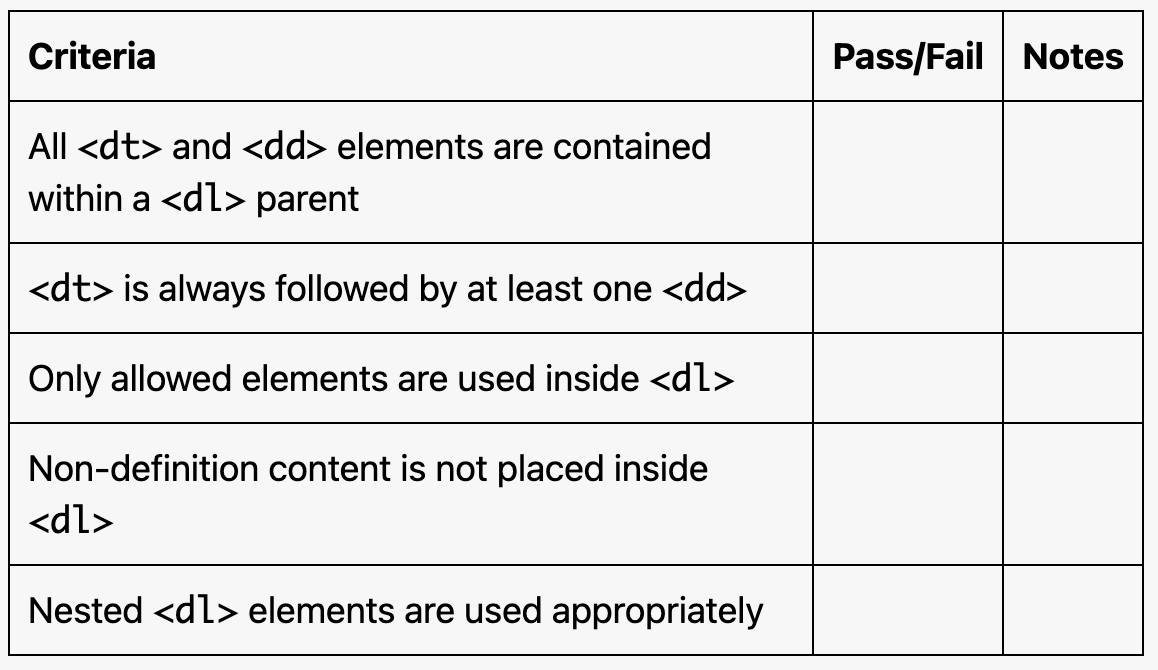
Evaluation Checklist