***This document provides helpful tips to improve your site's accessibility. While it doesn’t guarantee 100% compliance, it’s a great starting point to make your website more inclusive and user-friendly.***
Identification
Pages must provide a mechanism to bypass repeated blocks (Rule ID: bypass)
Applicable Standards
WCAG 2.0, 2.1, 2.2 Level A (2.4.1)
Section 508 (1194.22)
Trusted Tester (9.A)
EN 301 549
Impact
Serious level impact affecting:
Blind users
Deafblind users
Keyboard-only users
Proper Implementation
Pages must include at least one of:
Main landmark
Skip navigation link
Proper heading structure
Landmark regions
Only one main landmark per page
Prefer HTML5 elements over ARIA roles
Examples of Correct Usage
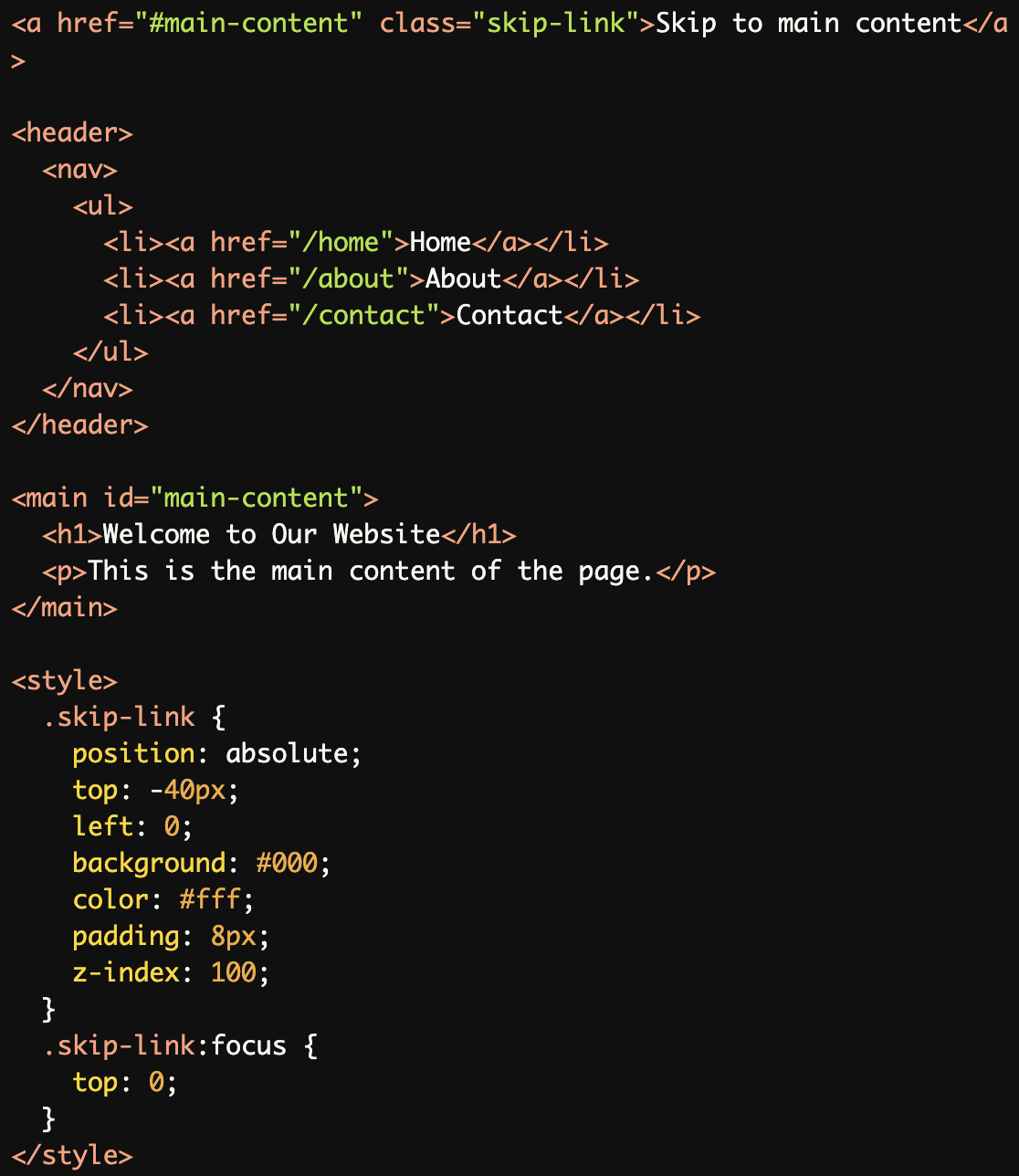
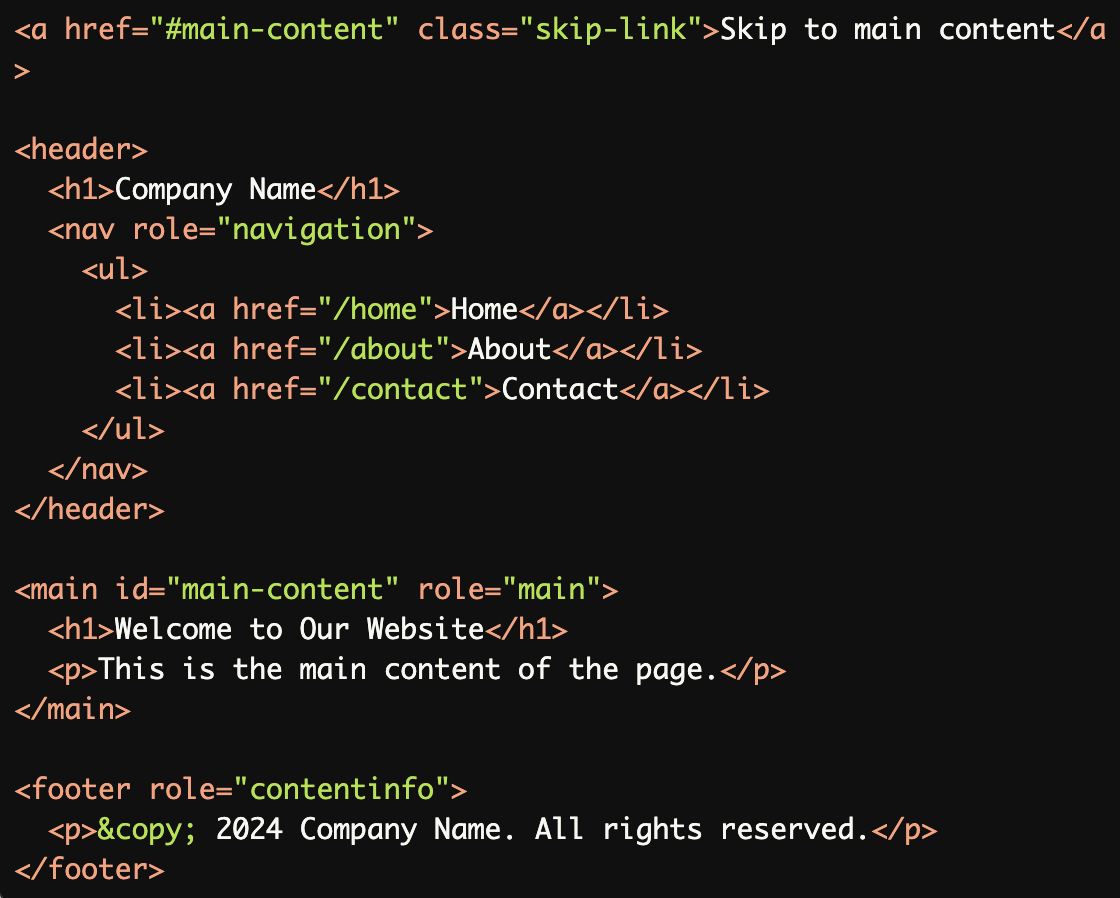
Adding a Skip Navigation Link:
A visible, keyboard-accessible skip link allows users to bypass the navigation and jump directly to the main content.
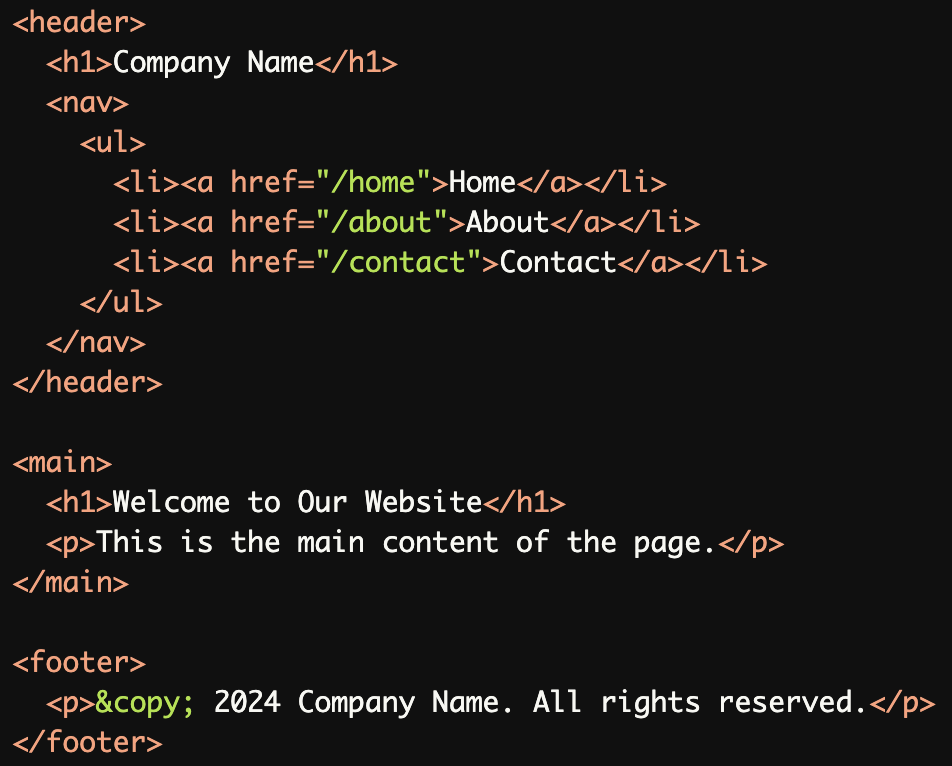
Using HTML5 Landmark Elements:
Properly marked-up semantic HTML5 elements (<header>,<main>,<footer>) help screen readers and keyboard users navigate efficiently.
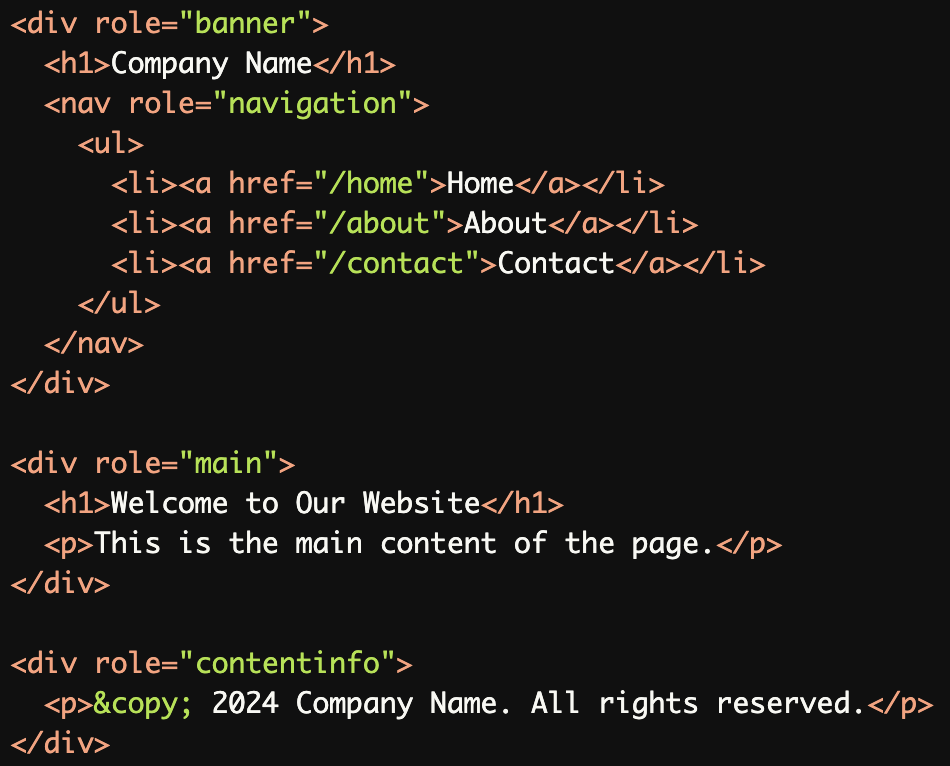
Using ARIA Landmarks:
ARIA roles (role="banner",role="main",role="contentinfo") are used for navigation aids when semantic HTML5 elements are not available.
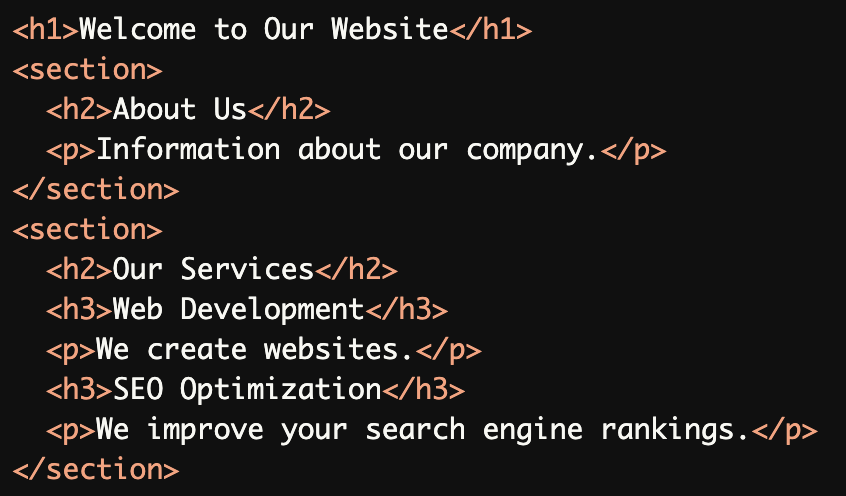
Proper Heading Structure:
A logical heading structure (<h1>,<h2>,<h3>) creates a clear content hierarchy, helping users and screen readers navigate efficiently.
Combining Navigation Aids:
Skip links, HTML5 landmarks, and ARIA roles are used together for comprehensive navigation aids.
Common Errors to Avoid
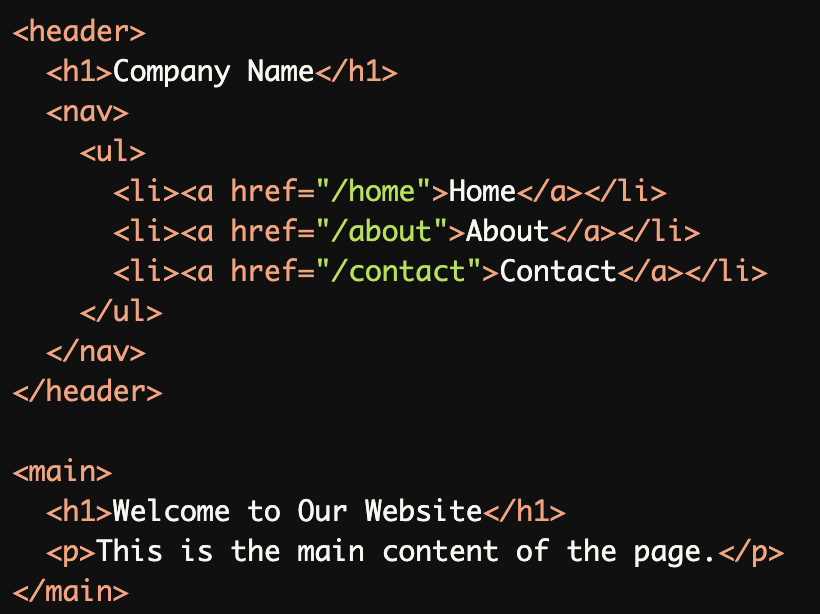
Missing a Skip Navigation Link:
Without a skip navigation link, keyboard users must tab through all navigation items to reach the main content.
Multiple
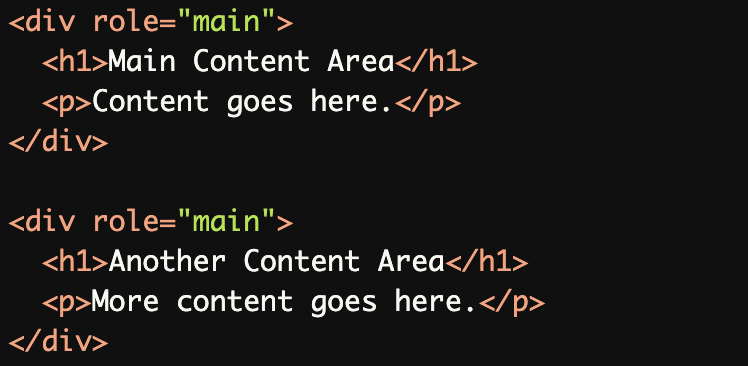
role="main"Landmarks:
Multiplerole="main"landmarks on the same page confuse screen readers, as only one "main" region should exist.
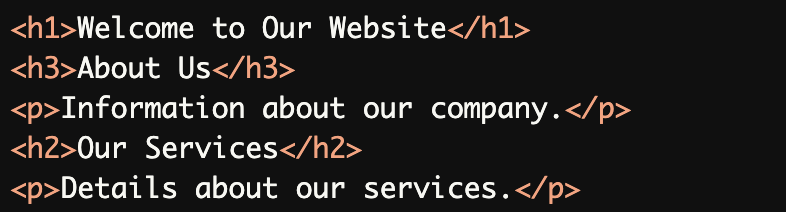
Incorrect or Missing Heading Levels:
Skipping heading levels (<h3>before<h2>) disrupts the logical content hierarchy, making navigation harder for screen readers.
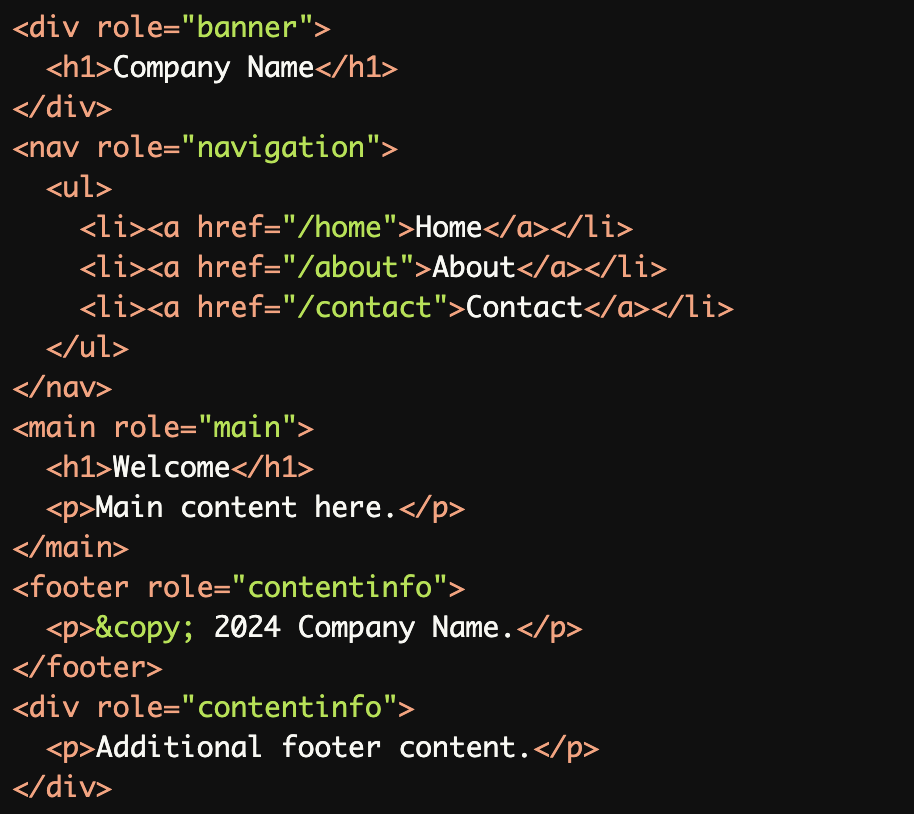
Overuse of ARIA Roles:
Overusing ARIA roles (e.g., multiplerole="contentinfo") creates redundancy and confusion for assistive technologies.
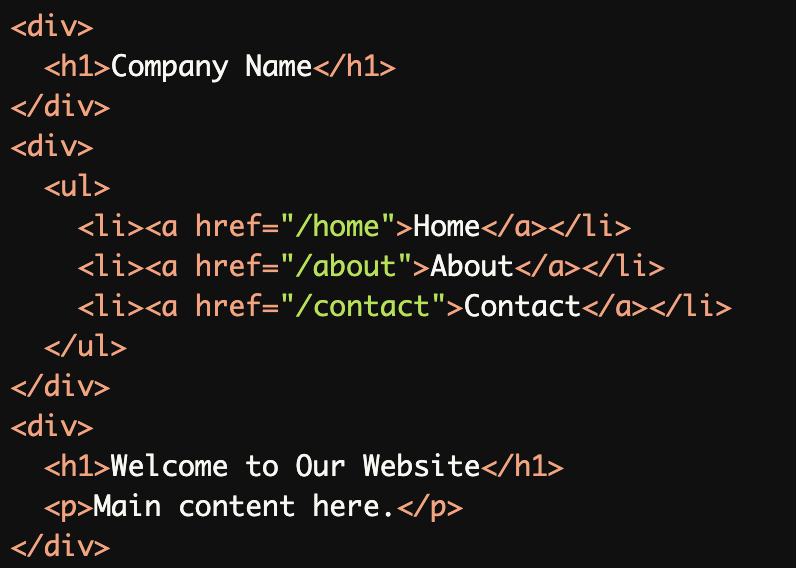
Lack of Semantic HTML:
Using generic<div>elements instead of semantic HTML5 elements (e.g.,<header>,<main>) reduces navigational clarity.
Rationale
Reduces keyboard navigation time
Minimizes physical strain for motor-impaired users
Provides direct access to main content
Essential for users who cannot use a mouse
Prevents fatigue from excessive tabbing
Evaluation Method
Inspect the Code
Confirm that:
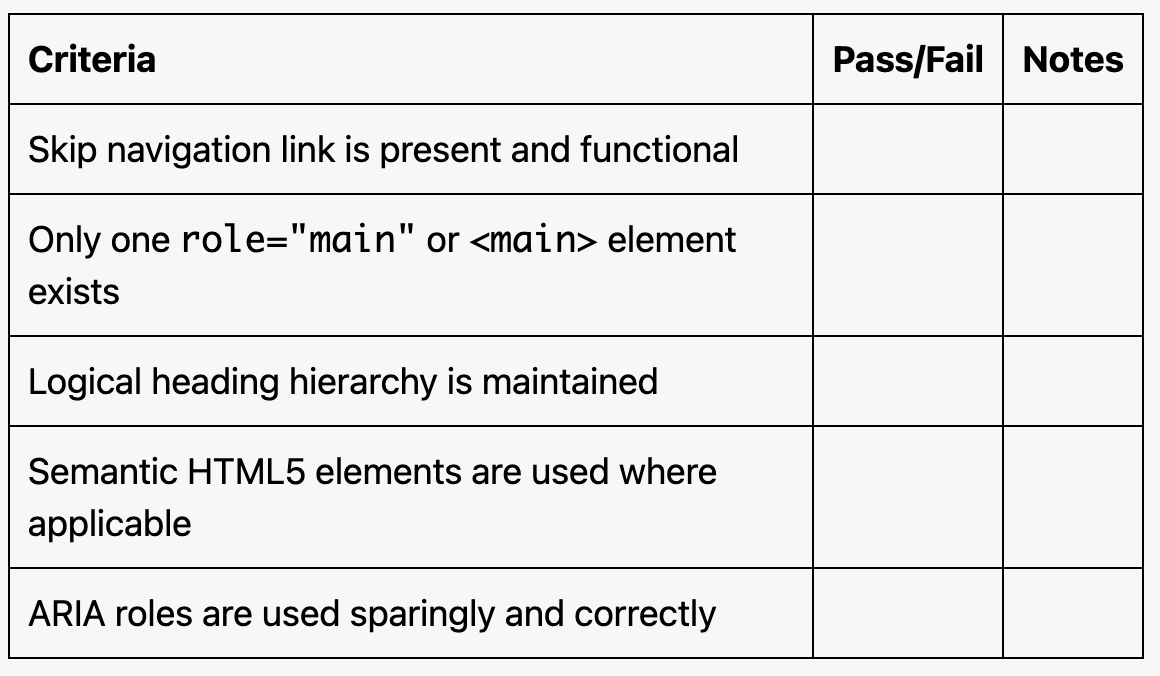
A skip navigation link is present and functional.
Only one
role="main"or<main>element exists.Headings follow a logical hierarchy.
Semantic HTML5 elements (
<header>,<main>,<footer>) are used where appropriate.
Test with Assistive Technology
Use a screen reader (e.g., NVDA, JAWS, or VoiceOver) to ensure:
Skip links are announced and focusable.
Landmarks (e.g.,
role="main",<main>) are recognized and navigable.Headings are read in the correct order.
Evaluation Checklist