***This document provides helpful tips to improve your site's accessibility. While it doesn’t guarantee 100% compliance, it’s a great starting point to make your website more inclusive and user-friendly.***
Identification
Tables must not have identical summary and caption text (Rule ID: table-duplicate-name)
Applicable Standards
Deque Best Practice
Impact
Minor level impact affecting:
Blind users
Deafblind users
Proper Implementation
Use
<caption>for visible table titlesUse
summaryattribute for structural descriptionsEnsure summary and caption provide different, complementary information
Caption should identify the table
Summary should describe table organization and structure
Examples of Correct Usage
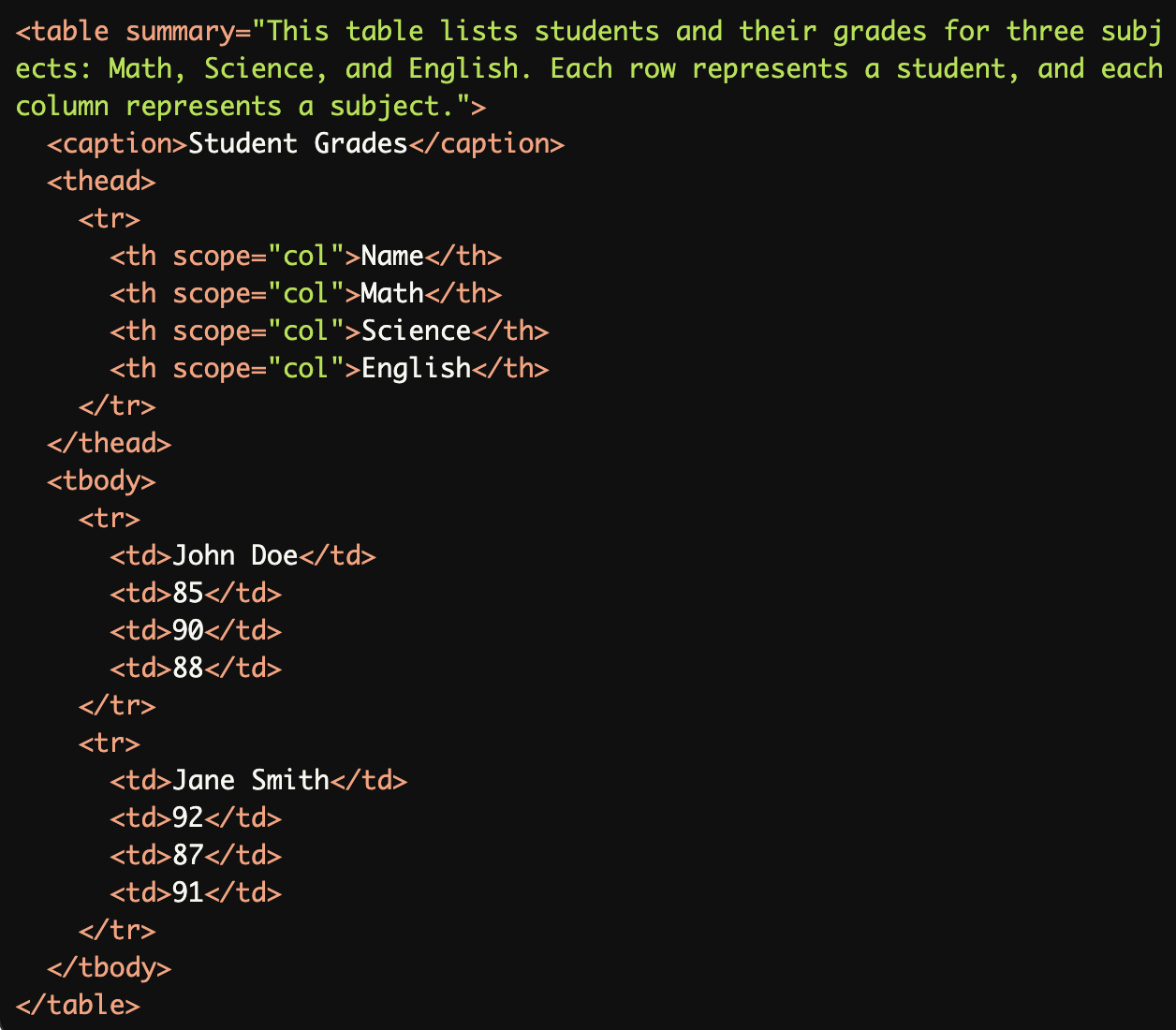
Simple Table with Distinct Caption and Summary:
The<caption>provides a concise title ("Student Grades") while thesummaryattribute describes the table's structure and content for screen reader users.
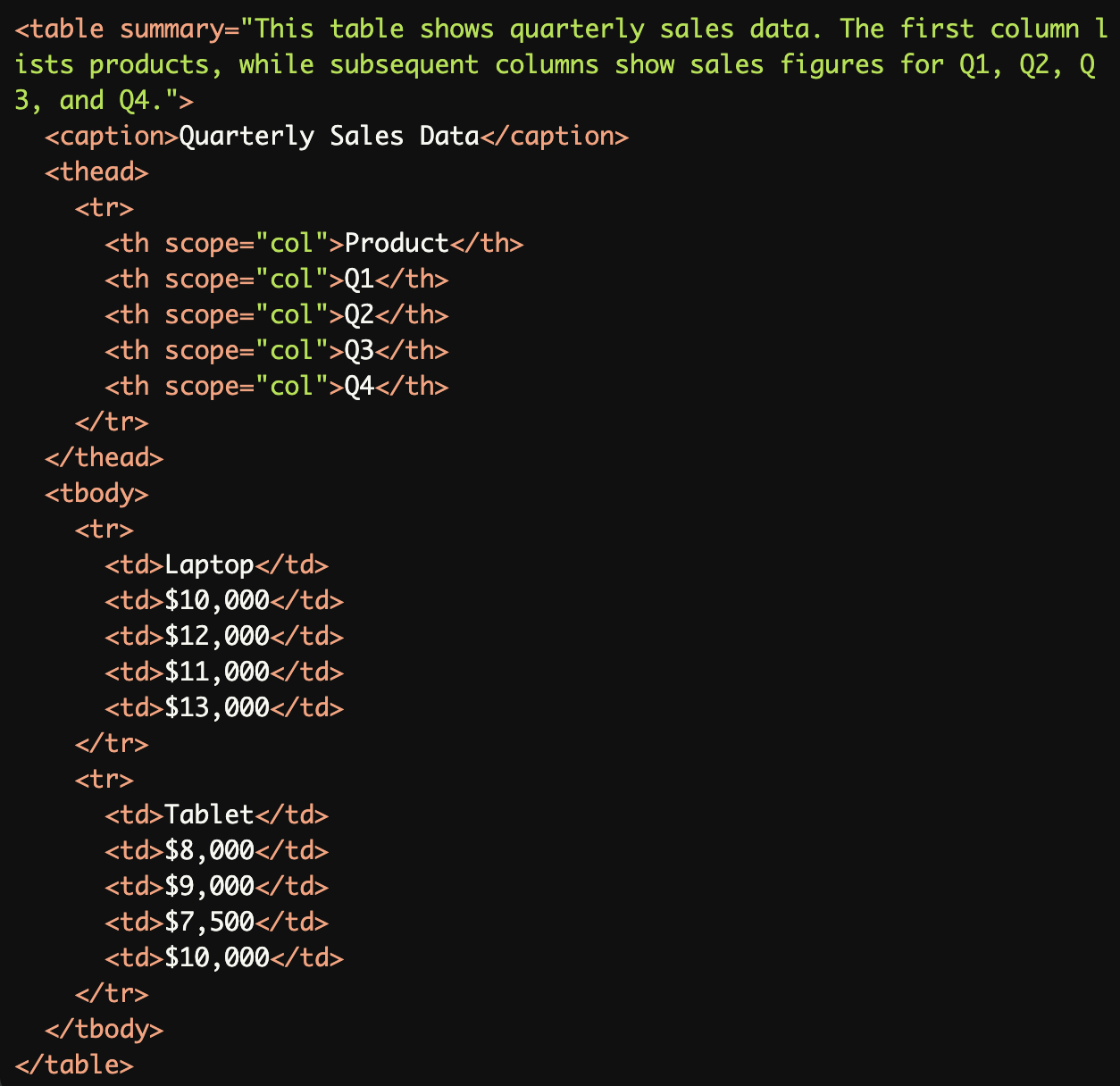
Complex Table with Summary and Caption:
The<caption>("Quarterly Sales Data") provides a title, while thesummarydescribes how the data is structured (e.g., rows for products and columns for quarters).
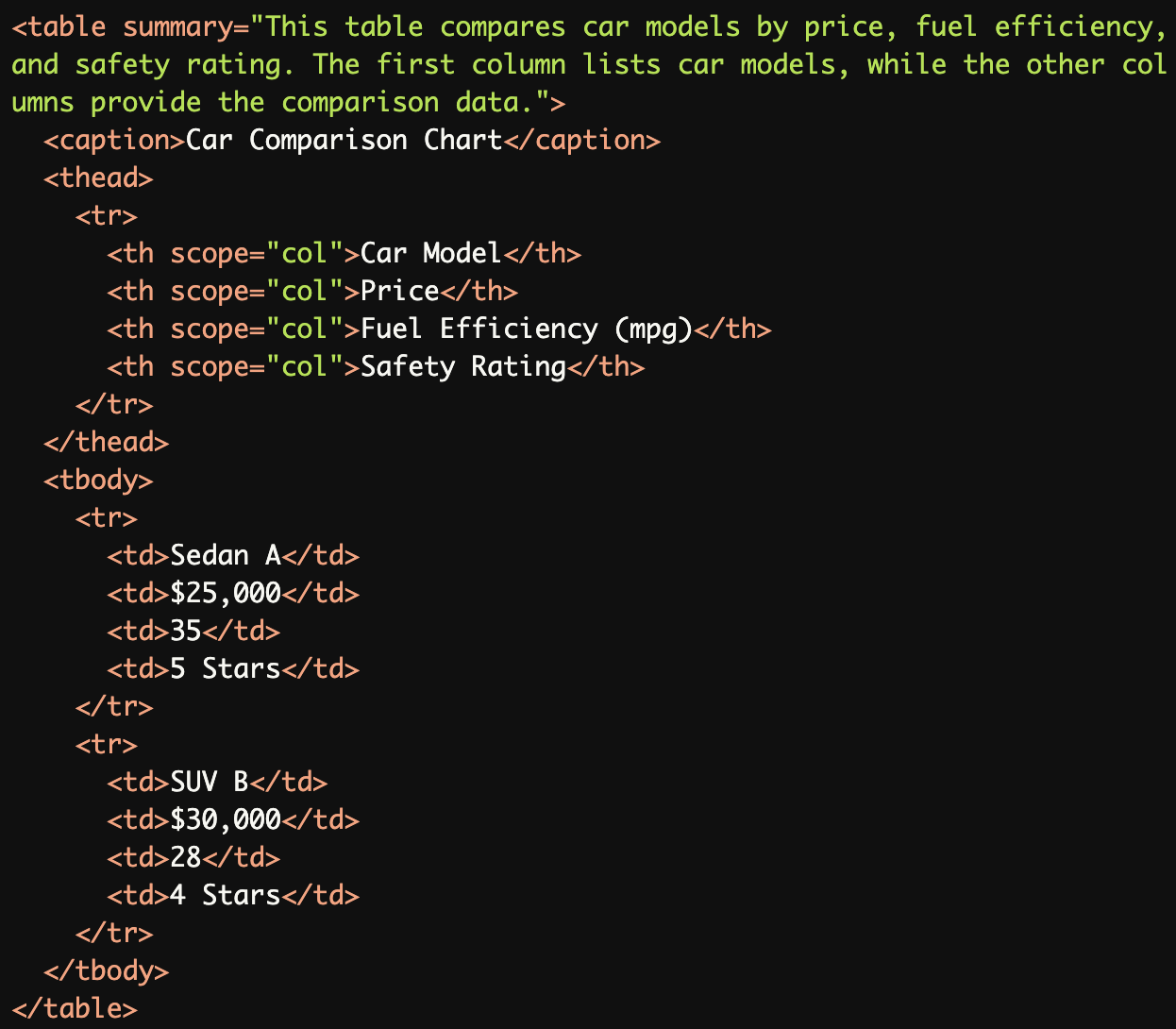
Accessible Table for Screen Reader Users:
This example uses thesummaryattribute specifically to describe the table's structure for screen reader users while keeping the<caption>simple and visible.
Common Errors to Avoid
Duplicate Caption and Summary:
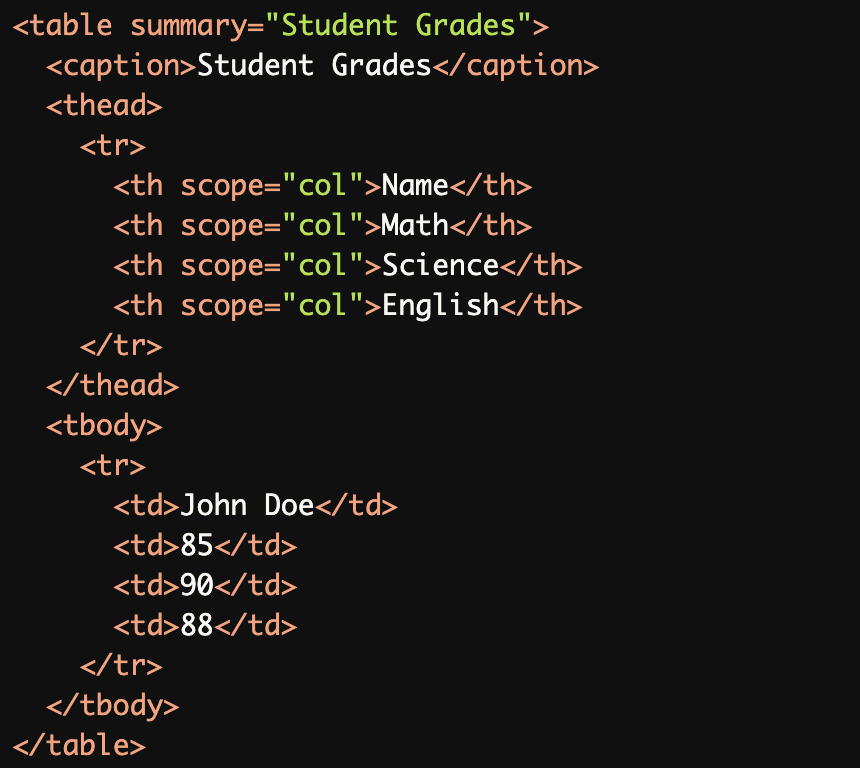
The
summaryand<caption>both use the same text ("Student Grades"), which reduces their usefulness and creates redundancy for screen reader users.
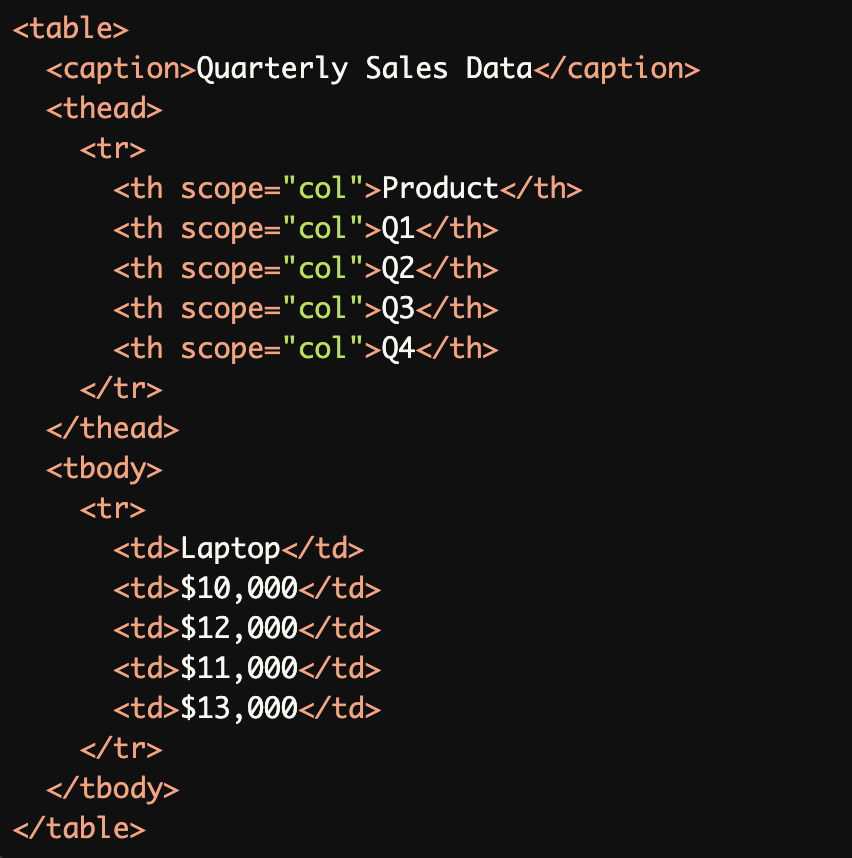
Missing Summary for Complex Table:
The<caption>provides a title, but the table lacks asummary, making it harder for screen reader users to understand its structure.
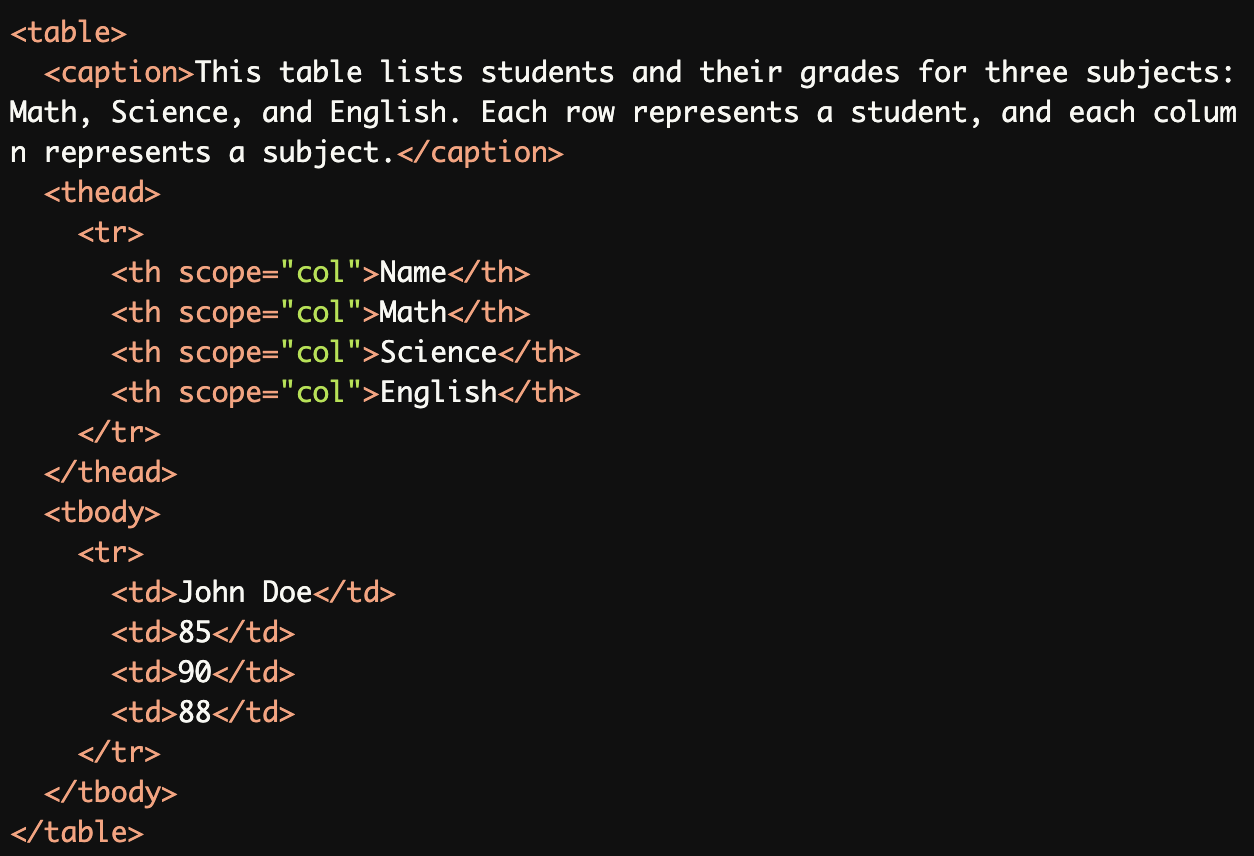
Overly Long Caption with Structural Details:
The<caption>is unnecessarily long and contains structural details that should instead be in thesummaryattribute.
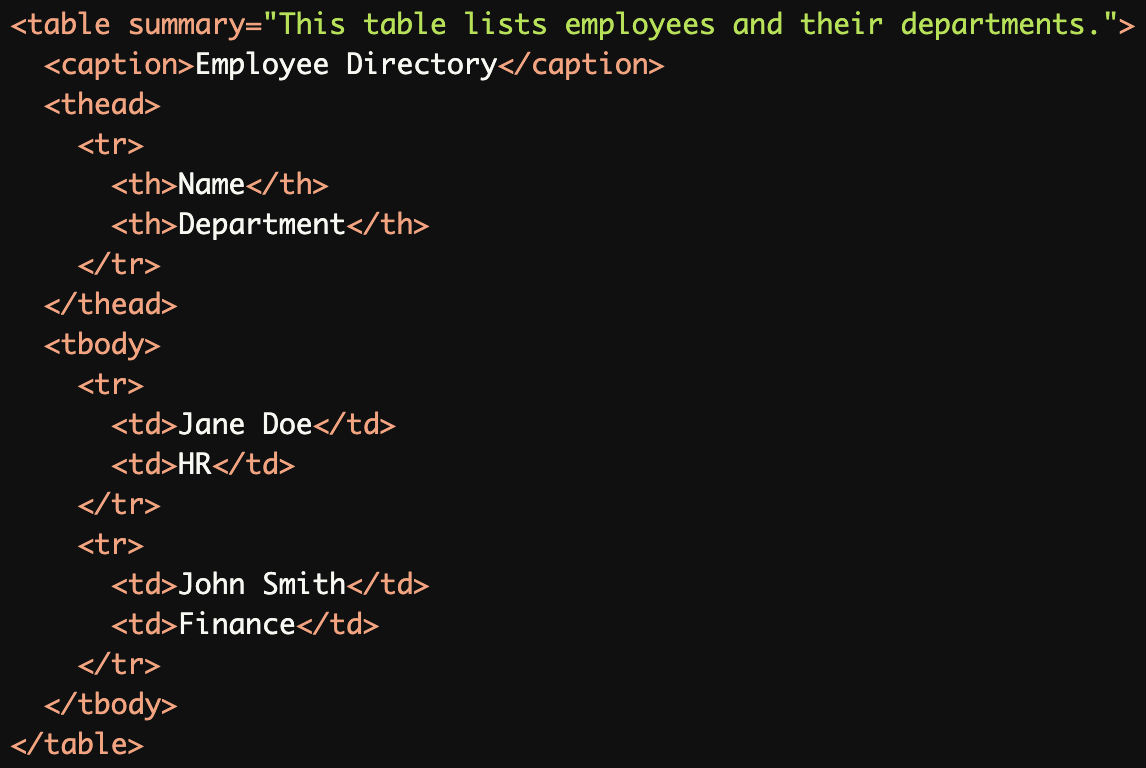
Overusing Summary for Simple Tables:
Thesummaryattribute is unnecessary for a simple table with only two columns, as the structure can be easily understood by screen readers without additional explanation.
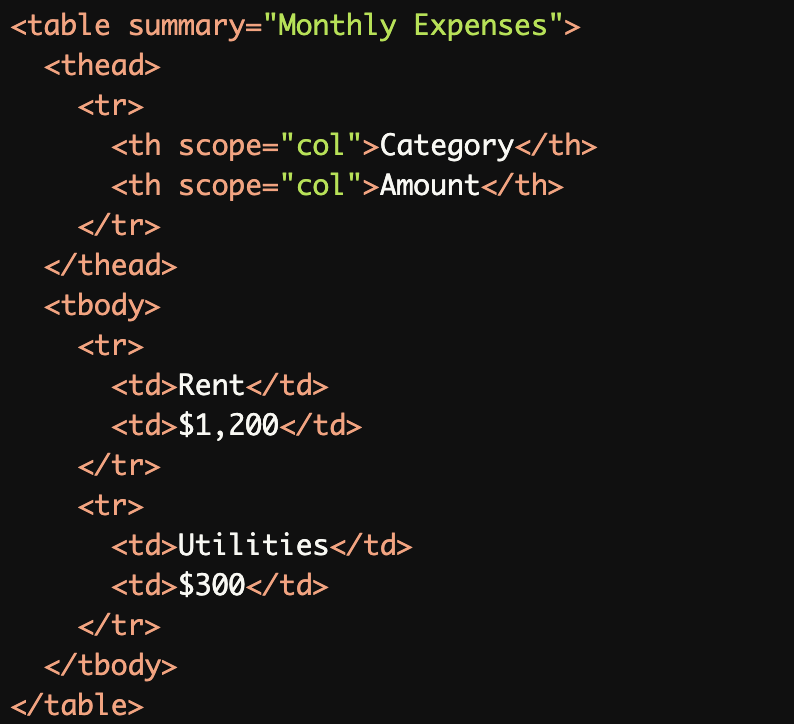
Using
summaryInstead of<caption>:The summary attribute is used to provide the table title ("Monthly Expenses"), but this information should be in a <caption> element.
Rationale
Screen readers announce both summary and caption
Duplicate information creates redundant announcements
Summary should provide additional context about table structure
Different information in caption and summary helps users better understand table organization
Improves navigation efficiency for screen reader users
Evaluation Method
Inspect Table Structure
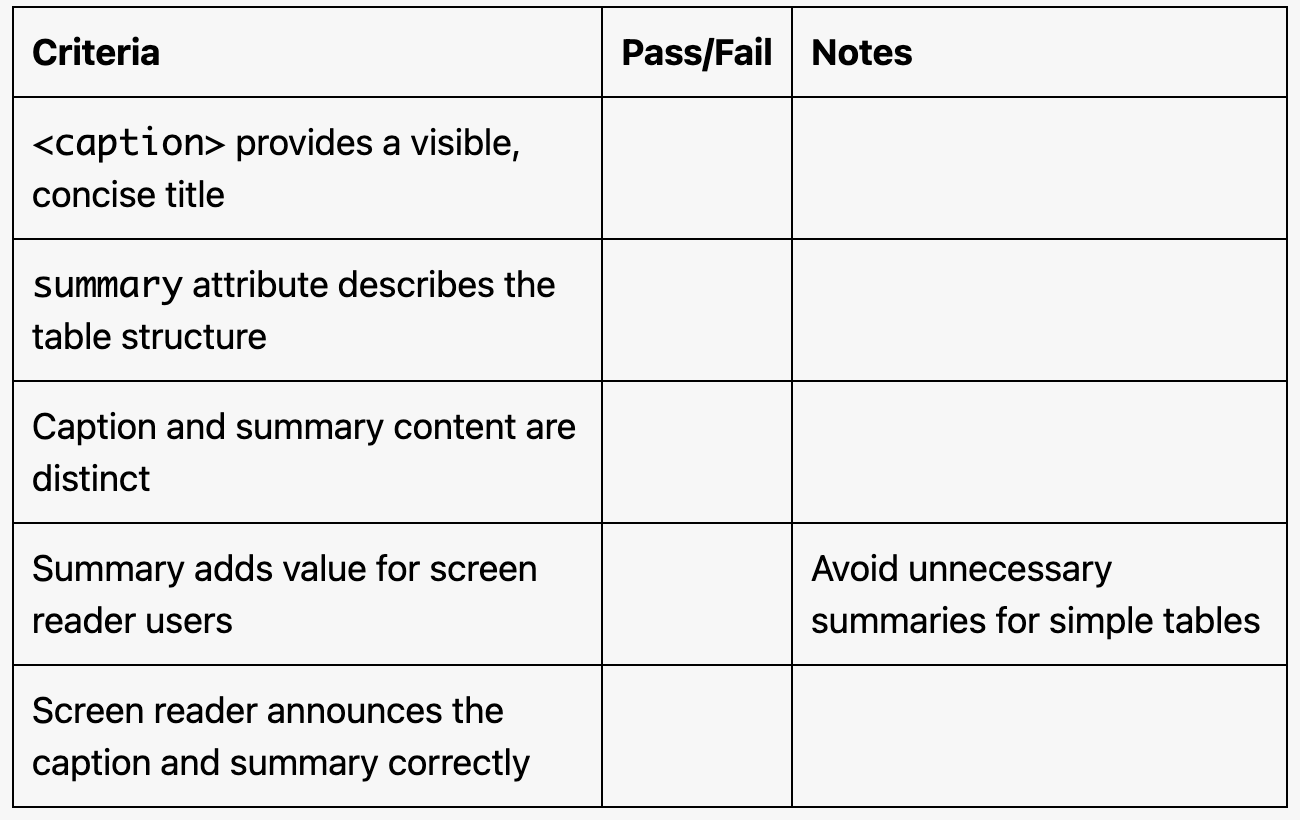
Ensure the table includes both a
<caption>element and, if needed, asummaryattribute.Verify that the
<caption>provides a concise title and thesummarydescribes the structure of the table.
Test with a Screen Reader
Use a screen reader (e.g., NVDA, JAWS, or VoiceOver) to navigate the table.
Confirm that the
summaryattribute is announced as a structural description and the<caption>as the table title.
Evaluation Checklist