***This document provides helpful tips to improve your site's accessibility. While it doesn’t guarantee 100% compliance, it’s a great starting point to make your website more inclusive and user-friendly.***
Identification
All table header elements (th) must refer to actual data cells in data tables (Rule ID: th-has-data-cells)
Applicable Standards
WCAG 2.0, 2.1, 2.2 Level A (1.3.1)
Section 508 (1194.22 g, h)
Trusted Tester (14.B)
EN 301 549
Impact
Serious level impact affecting:
Blind users
Deafblind users
Proper Implementation
Each
thelement must have associated data cellsUse appropriate
scopeattributes (col,row)Headers must reference elements with screen reader-accessible text
Avoid using
headersattribute onthelementsUse
thelements only for single row/column headers
Examples of Correct Usage
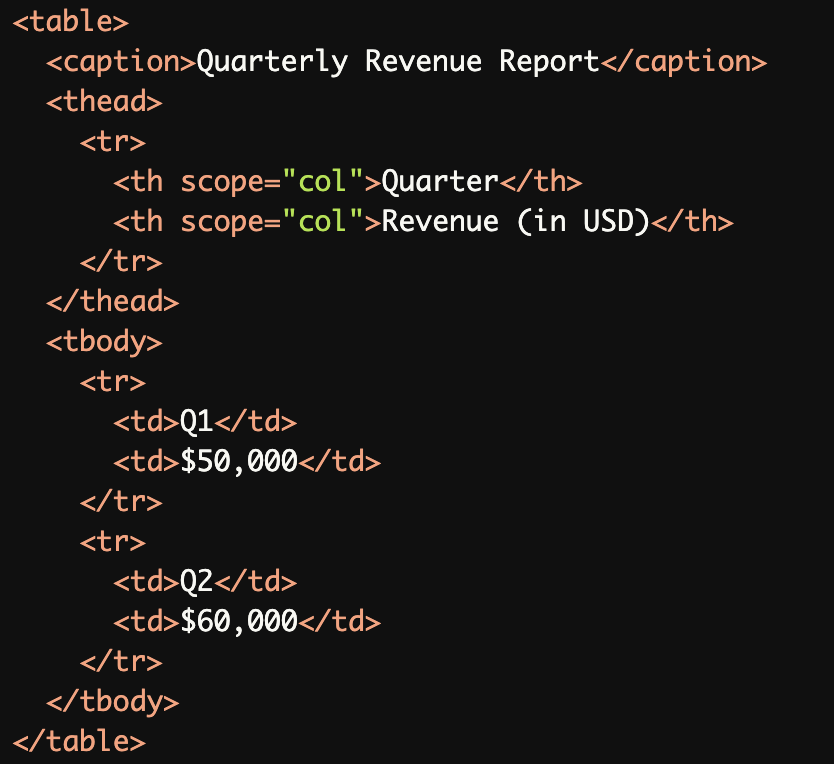
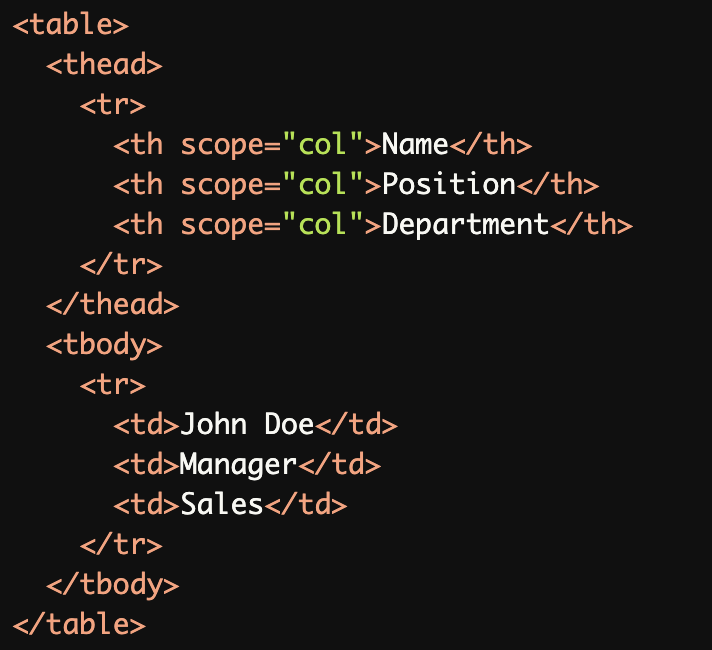
Simple Data Table with Proper Headers:
This table uses<th>elements for column headers with thescope="col"attribute, making it easy for screen readers to associate headers with corresponding data cells.
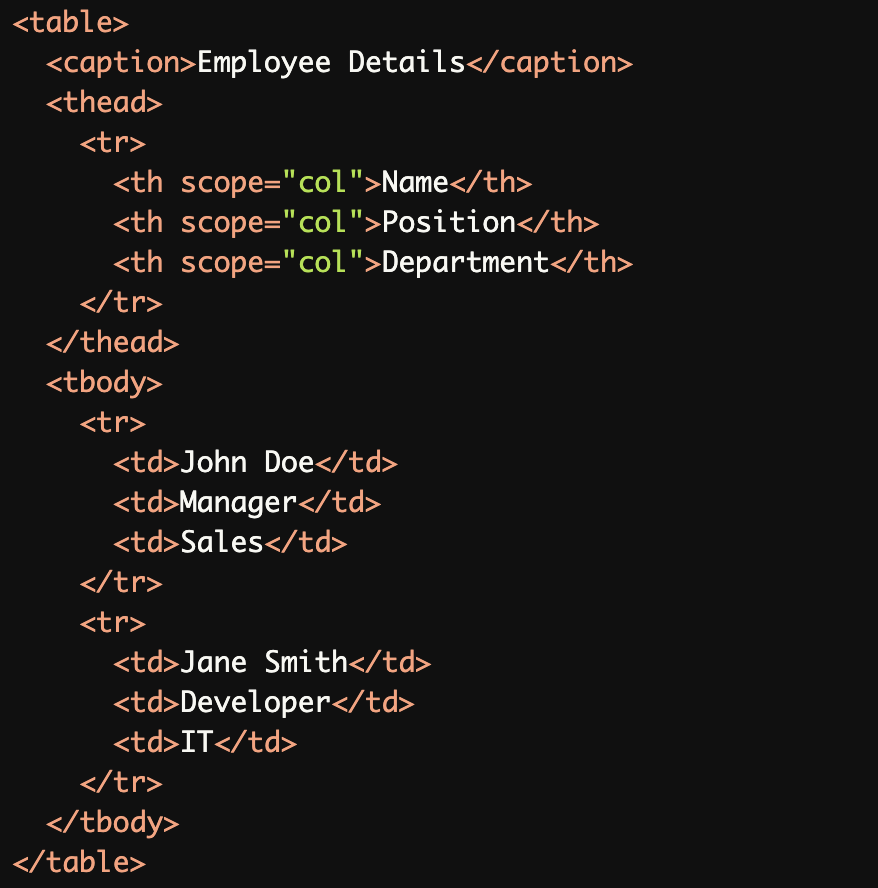
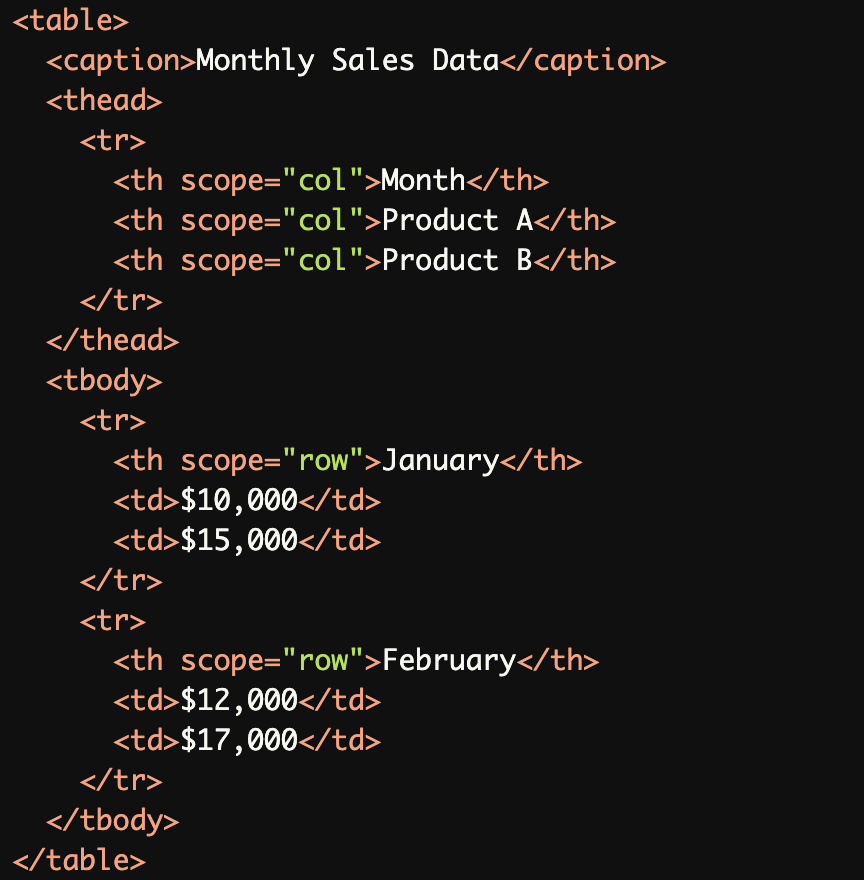
Table with Both Row and Column Headers:
This table usesscope="row"for row headers andscope="col"for column headers, ensuring a clear relationship between headers and data cells for screen readers.
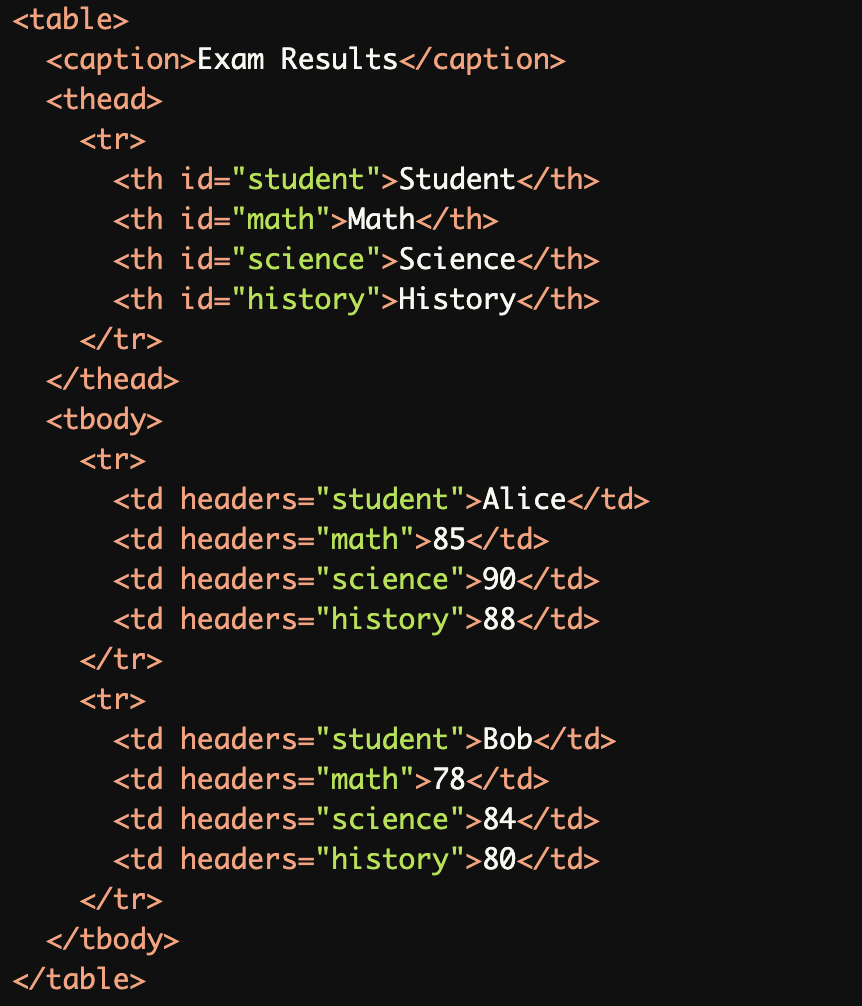
Complex Table with
idandheadersAttributes:
Theidandheadersattributes are used to associate individual data cells with their corresponding headers, which is helpful for more complex tables.
Accessible Table with a Caption:
The<caption>element provides context for the table, making it easier for screen reader users to understand its purpose.
Common Errors to Avoid
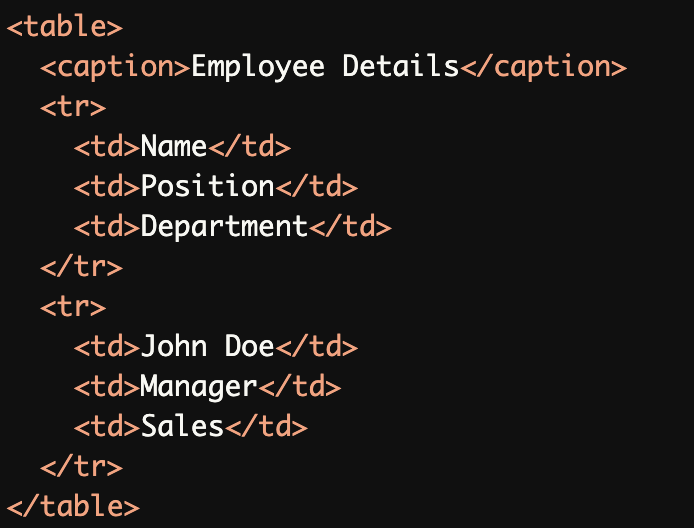
Missing Table Headers:
This table uses<td>elements for headers instead of<th>elements, which prevents screen readers from correctly identifying the table structure.
Incorrect Use of
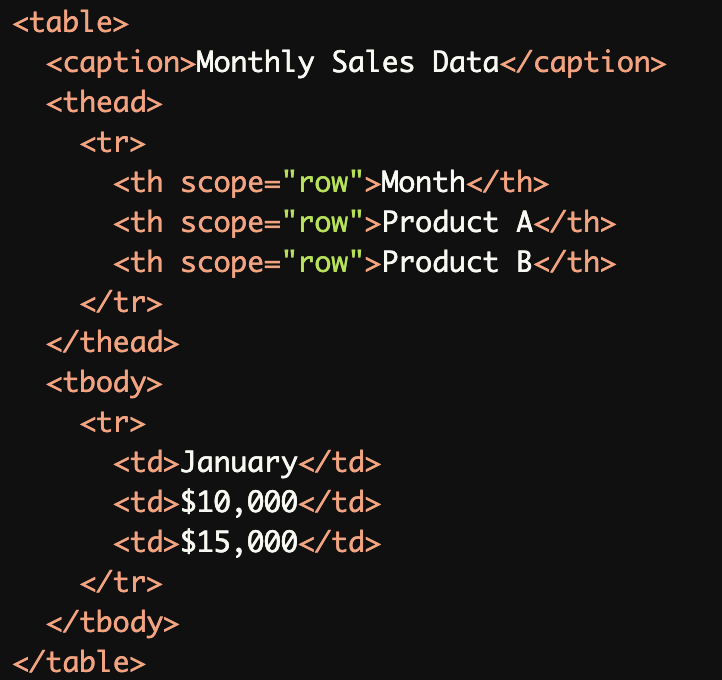
scopeAttribute:
Thescope="row"attribute is incorrectly applied to column headers, which confuses screen readers about the table's structure.
Overusing
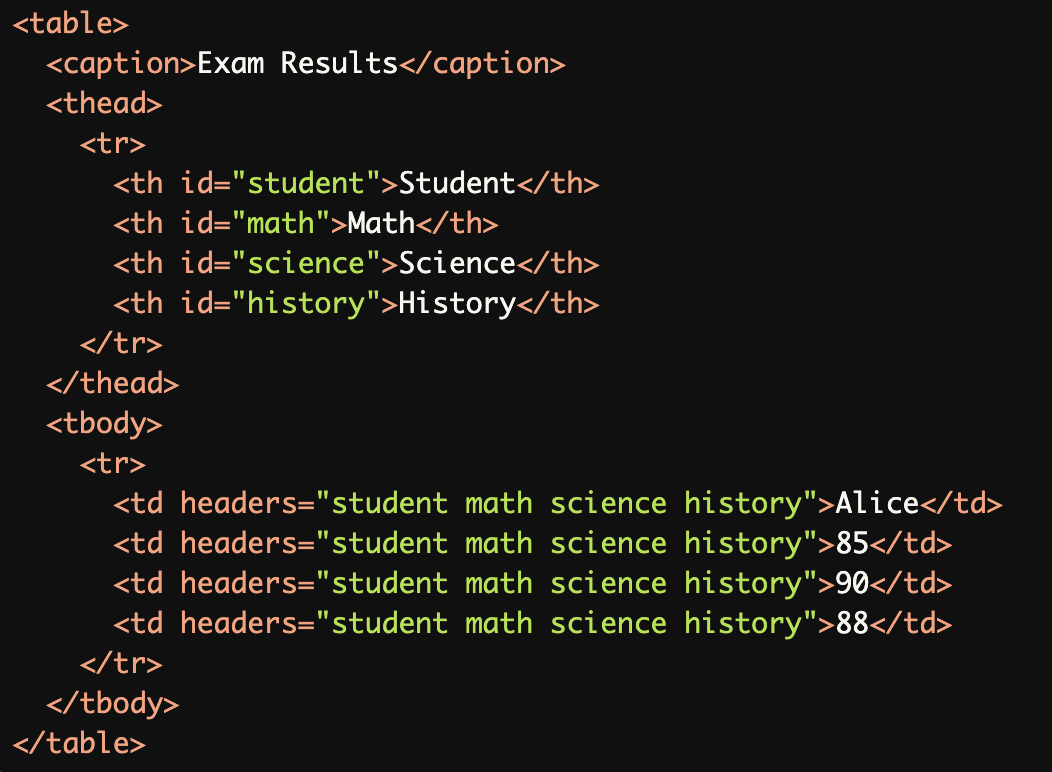
headersAttributes:
Theheadersattribute is overused, unnecessarily repeating associations for each data cell, which can confuse screen readers.
Missing
<caption>Element:
The table is missing a<caption>element, which provides critical context for screen reader users.
Using
<th>for Non-Header Content:
The<th>elements are incorrectly used for data cells instead of headers, making the table structure inaccessible.

Rationale
Proper header association ensures accurate screen reader navigation
Headers without data cells create confusion
Incorrect scope attributes lead to misinterpretation
Essential for understanding table structure and relationships
Impacts the ability to understand tabular data context
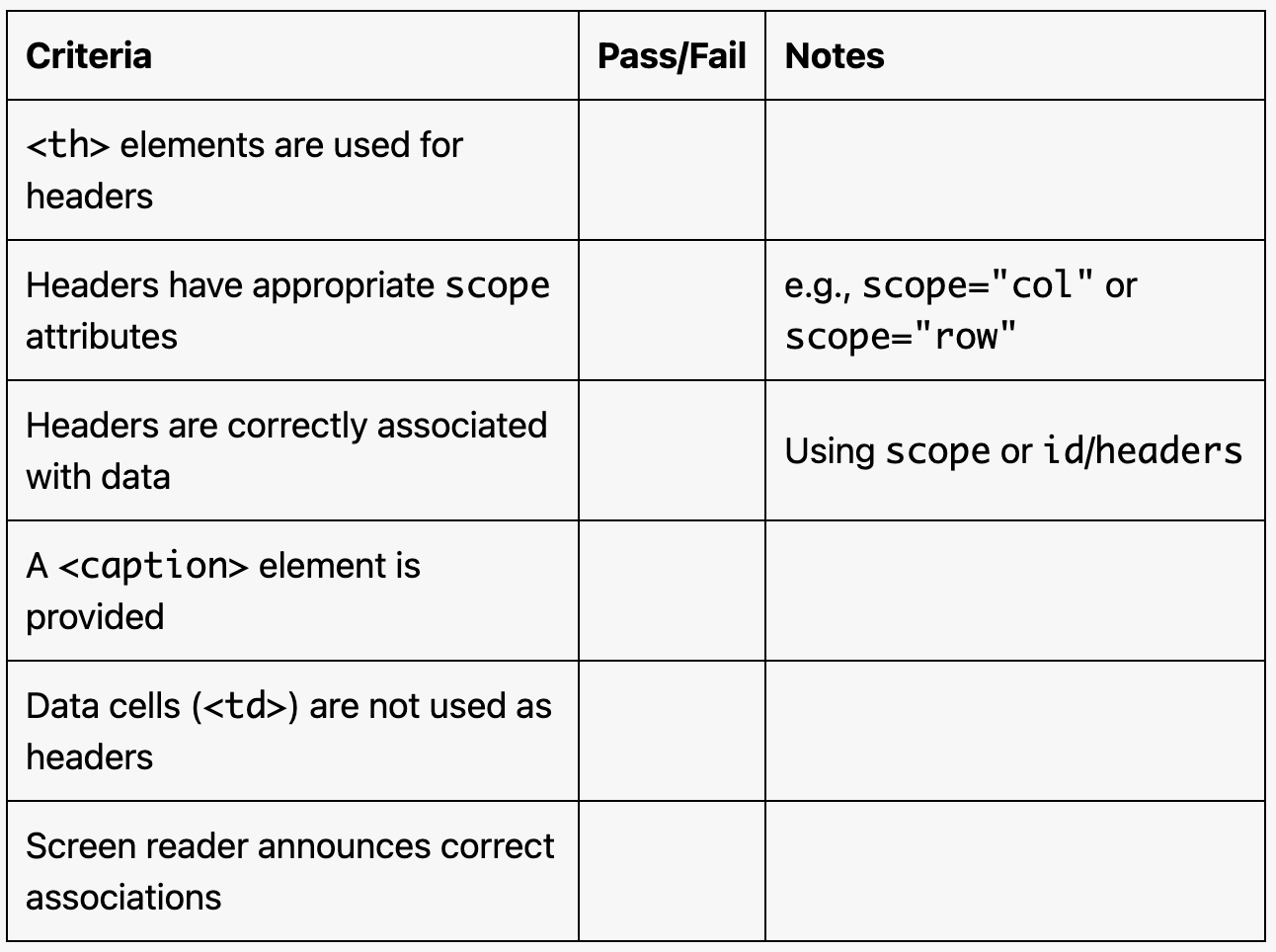
Evaluation Method
Inspect the Table Structure
Ensure
<th>elements are used for headers and<td>elements for data.Verify that
scope="col"orscope="row"is correctly applied to headers.
Validate Header Associations
Check if headers and data cells are logically associated using:
scopeattributes for simple tables.idandheadersattributes for complex tables.
Test with a Screen Reader
Use a screen reader (e.g., NVDA, JAWS, or VoiceOver) to navigate the table.
Confirm that the headers are correctly announced when navigating data cells.
Evaluation Checklist