***This document provides helpful tips to improve your site's accessibility. While it doesn’t guarantee 100% compliance, it’s a great starting point to make your website more inclusive and user-friendly.***
Identification
HTML language attributes must contain valid language codes (Rule ID: valid-lang)
Applicable Standards
WCAG 2.0, 2.1, 2.2 Level AA (3.1.2)
Trusted Tester (11.B)
EN 301 549
Impact
Serious level impact affecting:
Blind users
Deafblind users
Users with cognitive disabilities
Proper Implementation
Use valid ISO language codes
Specify primary language in HTML root element
Mark language changes within content
Include direction attribute when needed
Use appropriate dialect codes when necessary
Examples of Correct Usage
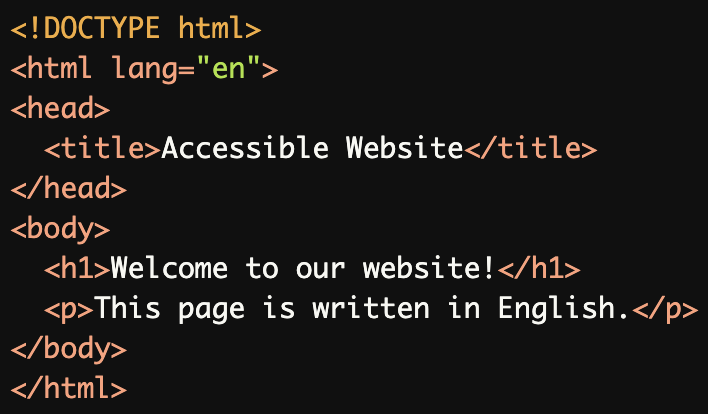
Declaring the Primary Language of a Page:
Thelang="en"attribute is correctly applied to the<html>element, specifying that the primary language of the page is English.
Marking Language Changes:
Thelang="fr"attribute is used to mark French text, ensuring proper pronunciation by screen readers.

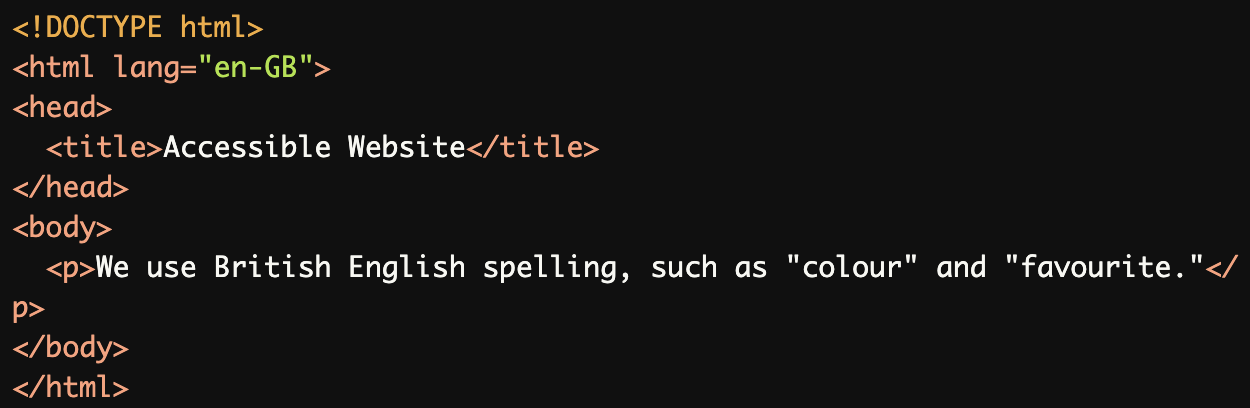
Using Dialect-Specific Language Codes:
Thelang="en-GB"attribute specifies that the content uses British English, which is distinct from American English (lang="en-US").
Including Text Direction:
Thelang="ar"anddir="rtl"attributes are used for Arabic text, ensuring correct pronunciation and right-to-left text direction.

Common Errors to Avoid
Missing
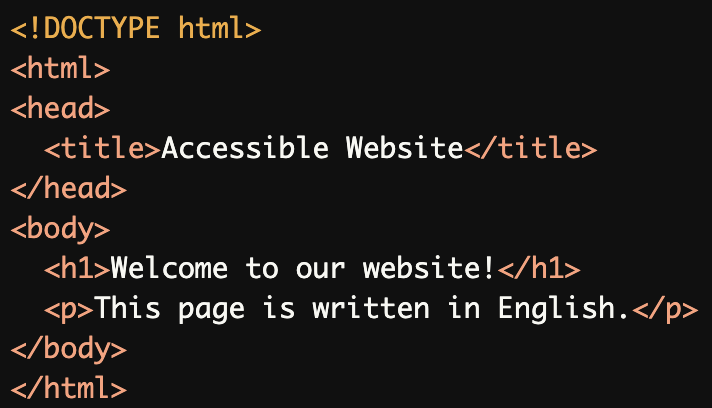
langAttribute:
Thelangattribute is missing in the<html>element, making it difficult for screen readers to correctly interpret the language.
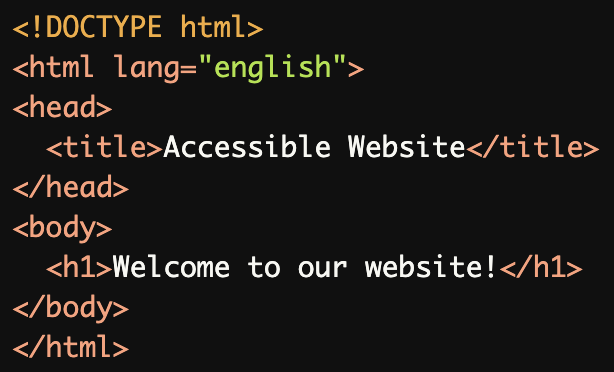
Invalid Language Code:
The
lang="english"attribute is invalid. Language codes must follow the BCP 47 standard, such aslang="en"for English.
Neglecting Language Changes:
The French phrase is not marked withlang="fr", so screen readers might mispronounce it based on the page's primary language.

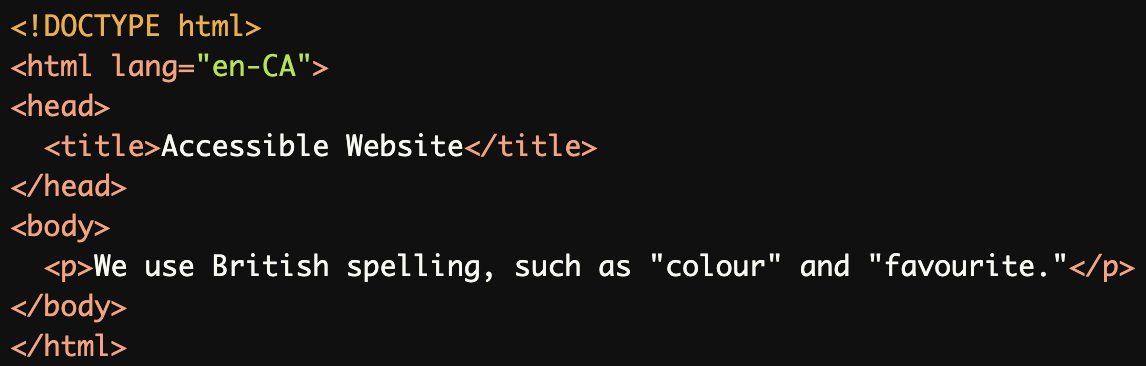
Incorrect Dialect Code:
Thelang="en-CA"(Canadian English) attribute is used incorrectly, as the content is written in British English and should uselang="en-GB".
Missing dir Attribute for Right-to-Left Text:
While the text is marked as Arabic withlang="ar", thedir="rtl"attribute is missing, so the text may not display correctly.

Rationale
Enables correct pronunciation by screen readers
Allows proper language switching
Essential for multilingual content accessibility
Supports proper text-to-speech synthesis
Improves user experience for multilingual users
Evaluation Method
Inspect HTML Code:
Check that the
langattribute is present in the<html>element to specify the primary language of the page.Inspect specific elements for language changes (e.g.,
<span lang="fr">) when applicable.
Validate Language Codes:
Ensure that all language codes follow the BCP 47 standard (e.g.,
enfor English,frfor French,esfor Spanish).Verify that dialects are specified correctly, such as:
en-USfor American English.en-GBfor British English.
Test with Screen Readers:
Use a screen reader (e.g., NVDA, JAWS, VoiceOver) to listen to content pronunciation.
Verify that the screen reader correctly switches languages or dialects where marked.
Check for Proper Text Direction
For right-to-left languages (e.g., Arabic, Hebrew), confirm that the
dir="rtl"attribute is applied correctly.
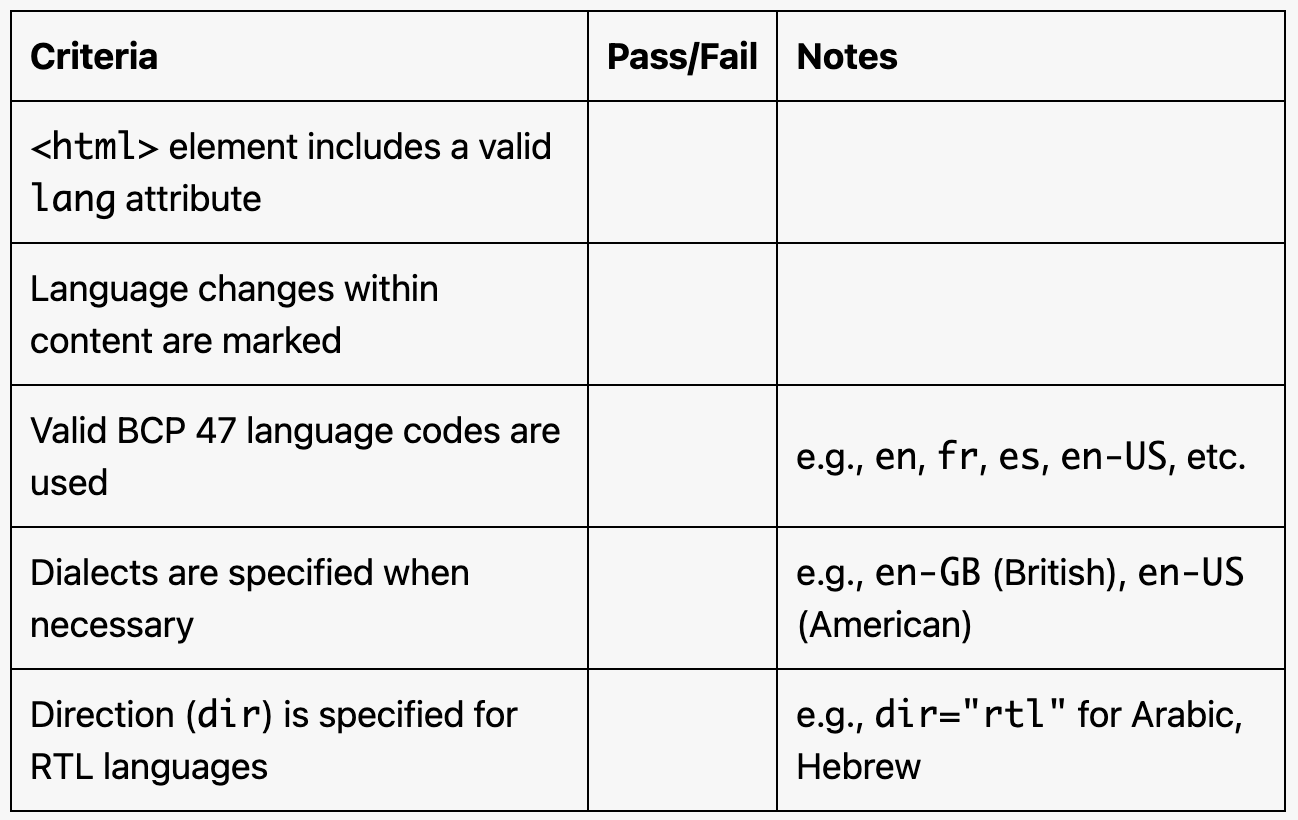
Evaluation Checklist