***This document provides helpful tips to improve your site's accessibility. While it doesn’t guarantee 100% compliance, it’s a great starting point to make your website more inclusive and user-friendly.***
Identification
Form fields must not have multiple label elements (Rule ID: form-field-multiple-labels)
Applicable Standards
WCAG 2.0, 2.1, 2.2 Level A (3.3.2)
EN 301 549
Trusted Tester Guidelines
Impact
Moderate level impact affecting:
Blind users
Low vision users
Deafblind users
Users with mobility impairments
Proper Implementation
Use only one visible label per form field
Ensure consistent label association
Use proper markup for label-input relationships
If multiple text references are needed, use aria-describedby instead of multiple labels
Examples of Correct Usage
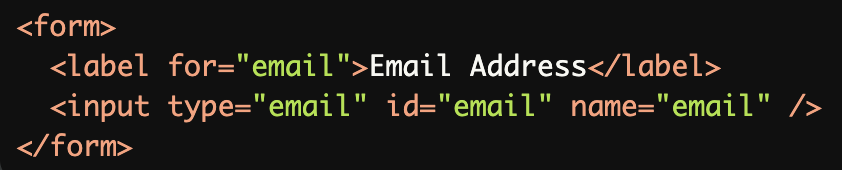
Single Label for a Form Field:
A singlelabelelement is associated with the form field using theforattribute, ensuring clear and accessible labeling.
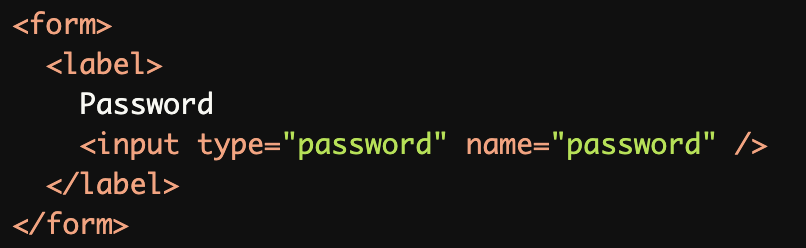
Implicit Labeling:
The input field is wrapped inside thelabelelement, creating an implicit association without needingforandid.
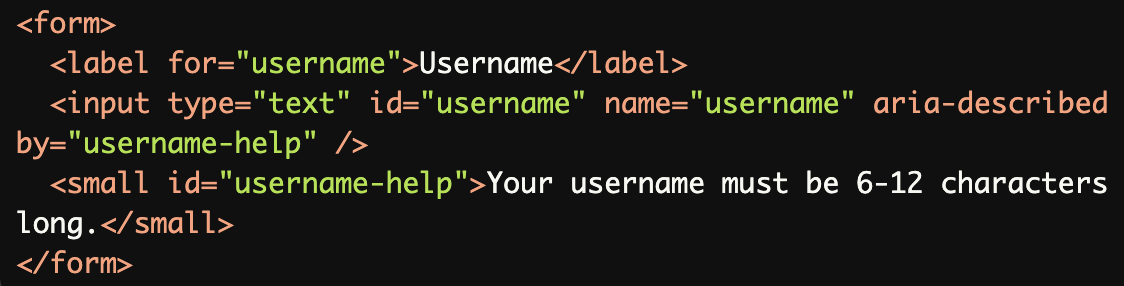
Additional Information with
aria-describedby:The aria-describedby attribute provides additional information about the input without adding multiple labels.
Required Field with Proper Labeling:
The required field is clearly labeled, and the asterisk is marked witharia-hidden="true"to prevent it from being announced by screen readers.

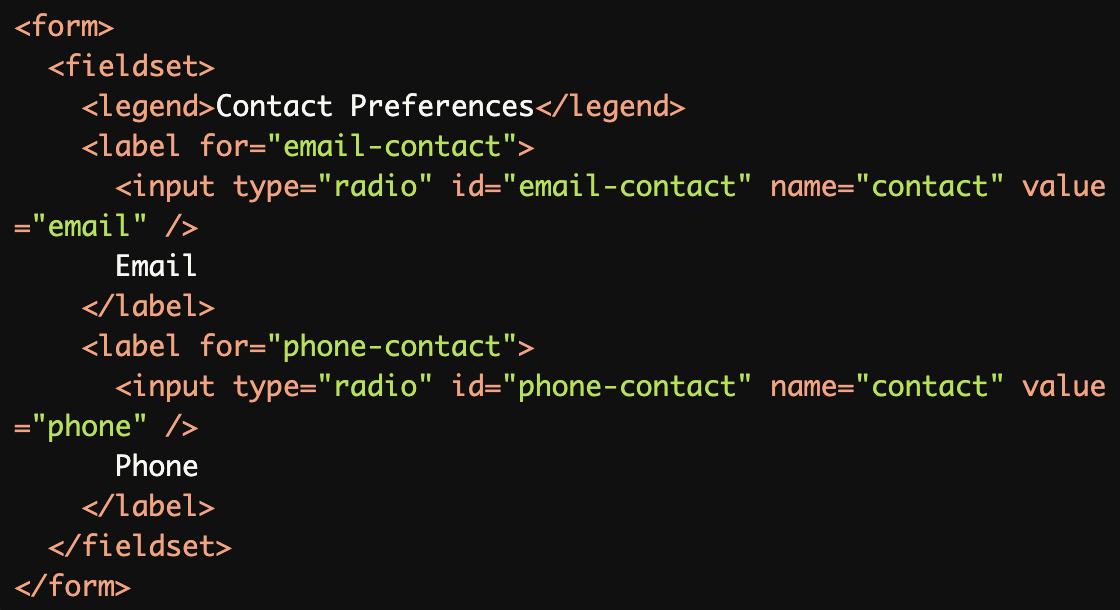
Grouping Related Fields with
fieldsetandlegend:The fieldset and legend elements are used to group related fields, providing structural and semantic clarity for screen readers.
Common Errors to Avoid
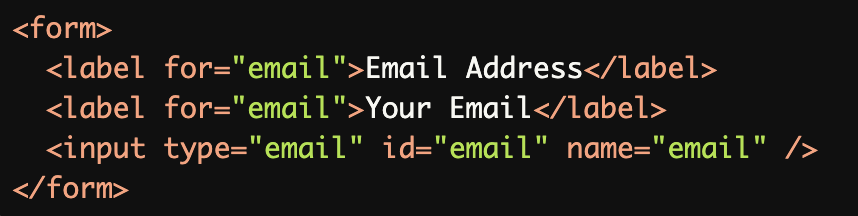
Multiple Labels for the Same Field:
Multiplelabelelements for the same field create confusion for screen readers, as only one label is expected.
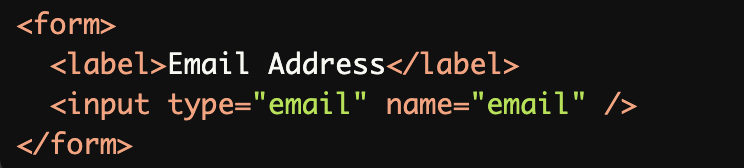
Missing Label Association:
The label is not associated with the input because it lacks aforattribute or implicit wrapping, making it inaccessible to screen readers.
Placeholder Used as a Label:
Placeholders are not a substitute for labels because they disappear when text is entered, leaving no persistent accessible text.

Using Non-Descriptive Labels:
Non-descriptive labels like "Click Here" fail to convey the purpose of the field, making it difficult for users to understand.

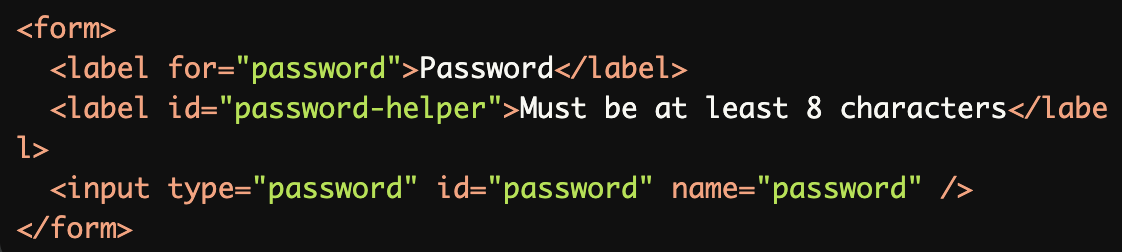
Overloading Descriptions Without
aria-describedby:Using multiple labels for one field to provide additional information is incorrect. Use aria-describedby instead.
Rationale
Multiple labels cause inconsistent screen reader behavior
Different browser/screen reader combinations may:
Read only the first label
Read only the last label
Read all labels
Behave unpredictably
Creates confusion for users
Impacts form comprehension and usability
Evaluation Method
Inspect the Code
Ensure that:
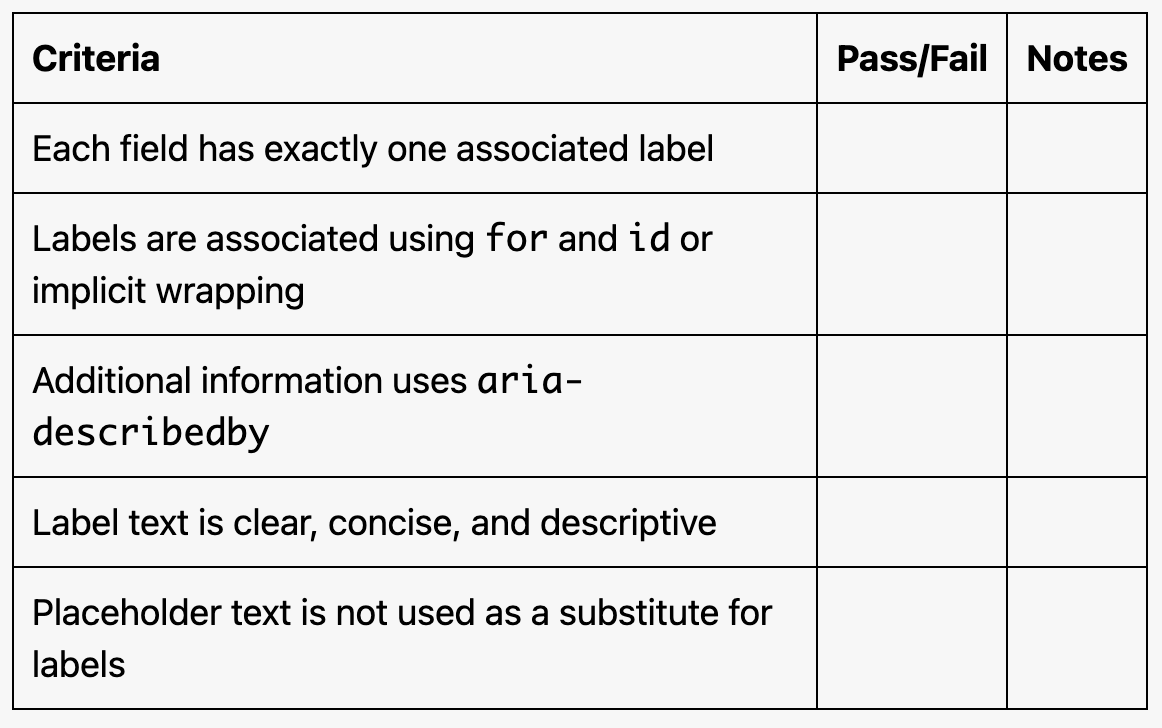
Each form field has exactly one
label.Labels are associated with inputs using
forandid, or implicitly by wrapping the input inside thelabel.Additional information is provided using
aria-describedby(not additionallabelelements).Labels are clear, concise, and descriptive.
Test with Assistive Technology
Use a screen reader (e.g., NVDA, JAWS, or VoiceOver) to confirm:
Labels are announced correctly.
Additional descriptions (e.g., via
aria-describedby) are read appropriately.
Evaluation Checklist