***This document provides helpful tips to improve your site's accessibility. While it doesn’t guarantee 100% compliance, it’s a great starting point to make your website more inclusive and user-friendly.***
Identification
Meta refresh with delays under 20 hours must not be used (Rule ID: meta-refresh)
Applicable Standards
WCAG 2.0, 2.1, 2.2 Level A (2.2.1)
Trusted Tester Guidelines (8.A)
EN 301 549
Impact
Critical level impact affecting:
Blind users
Deafblind users
Users with mobility impairments
Proper Implementation
Instead of meta refresh:
Use server-side redirects
Implement JavaScript-based refresh with:
Pause controls
Time extension options
Ability to disable refresh
Ensure refresh time is > 20 hours if meta refresh must be used
Examples of Correct Usage
Server-Side Redirects:
A server-side redirect is used instead of a<meta>refresh, ensuring a seamless transition without disrupting assistive technologies.

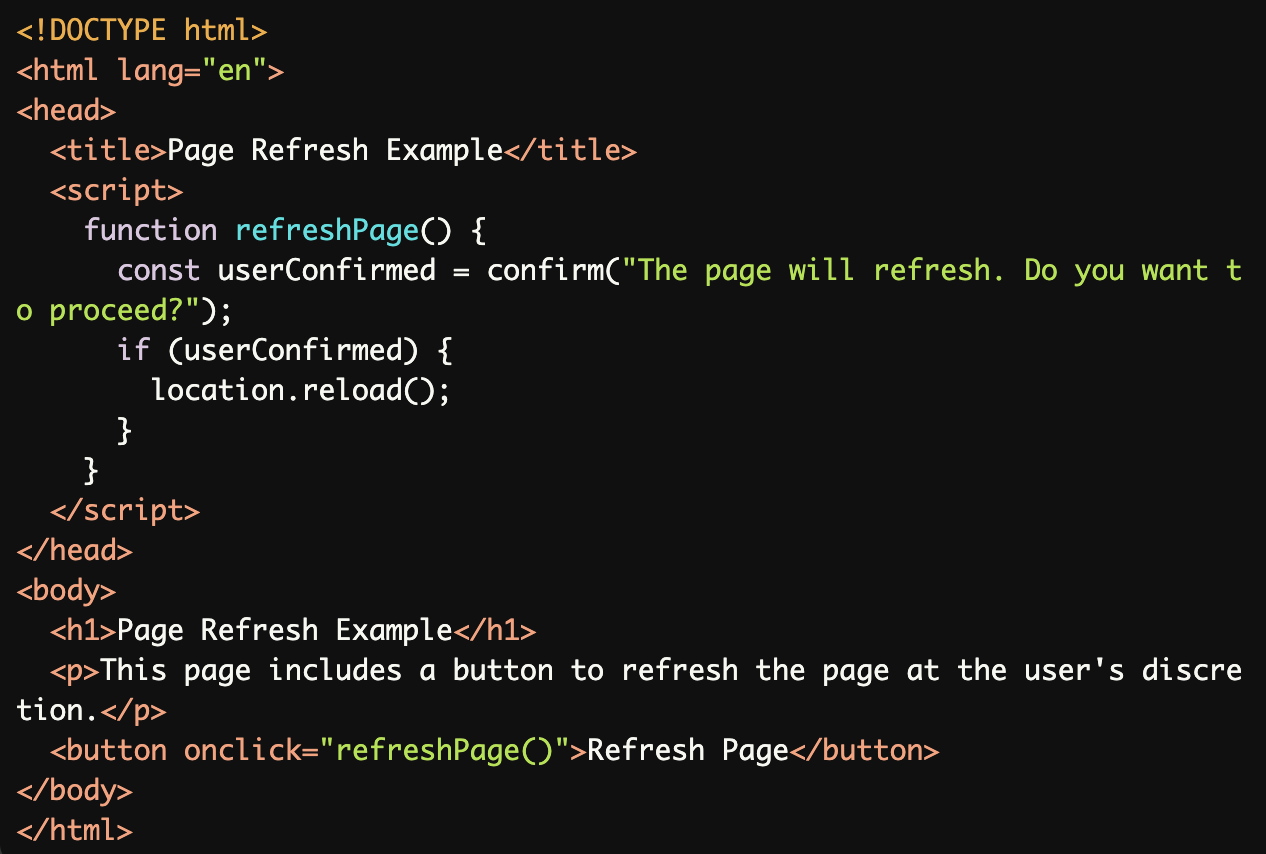
JavaScript-Based Refresh with Notification:
JavaScript provides a user-controlled option to refresh the page via a button with a confirmation prompt, offering flexibility and control to users.
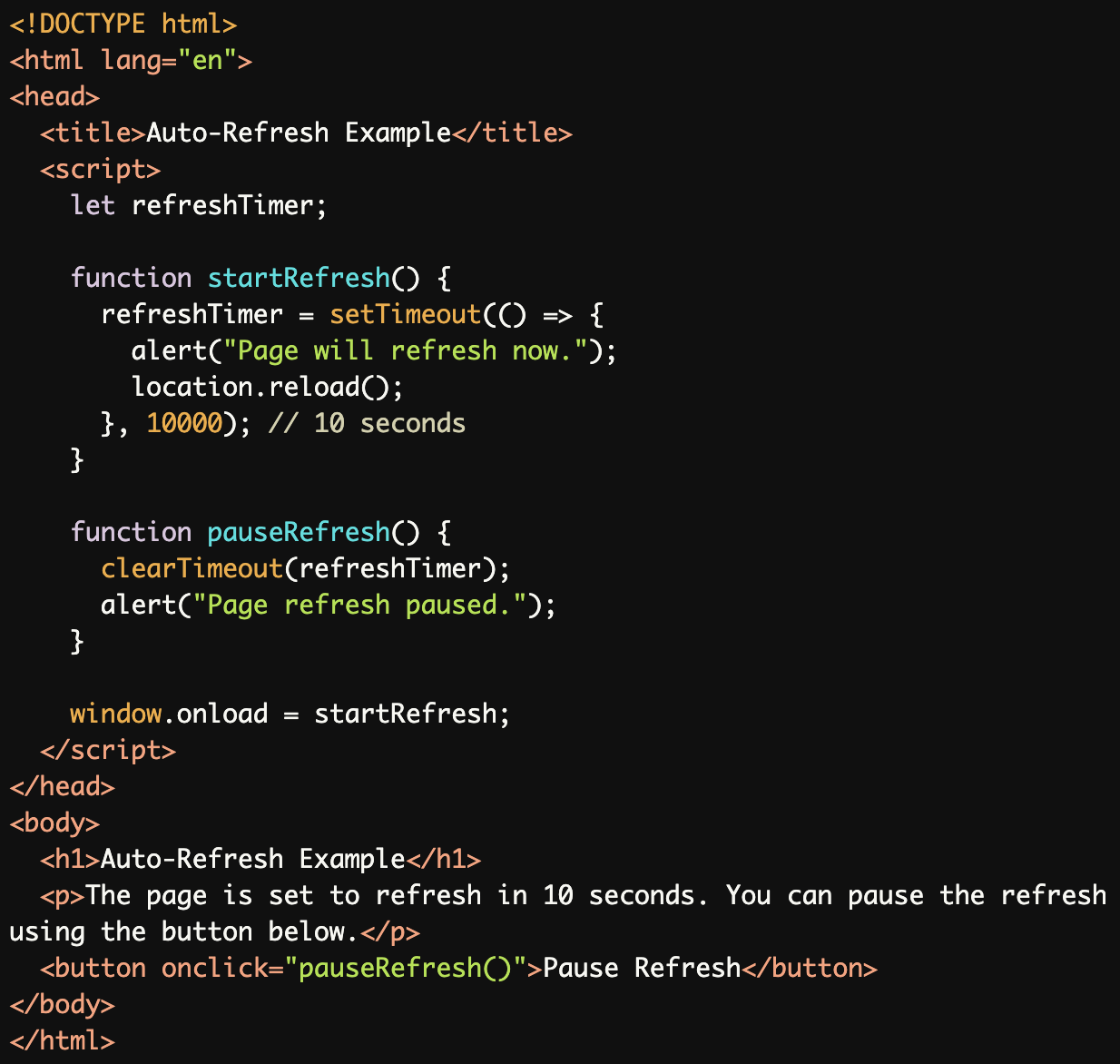
Auto-Refresh with Pause and Cancel Options:
The page auto-refreshes after 10 seconds, but users can pause the refresh using a provided button, offering better control.
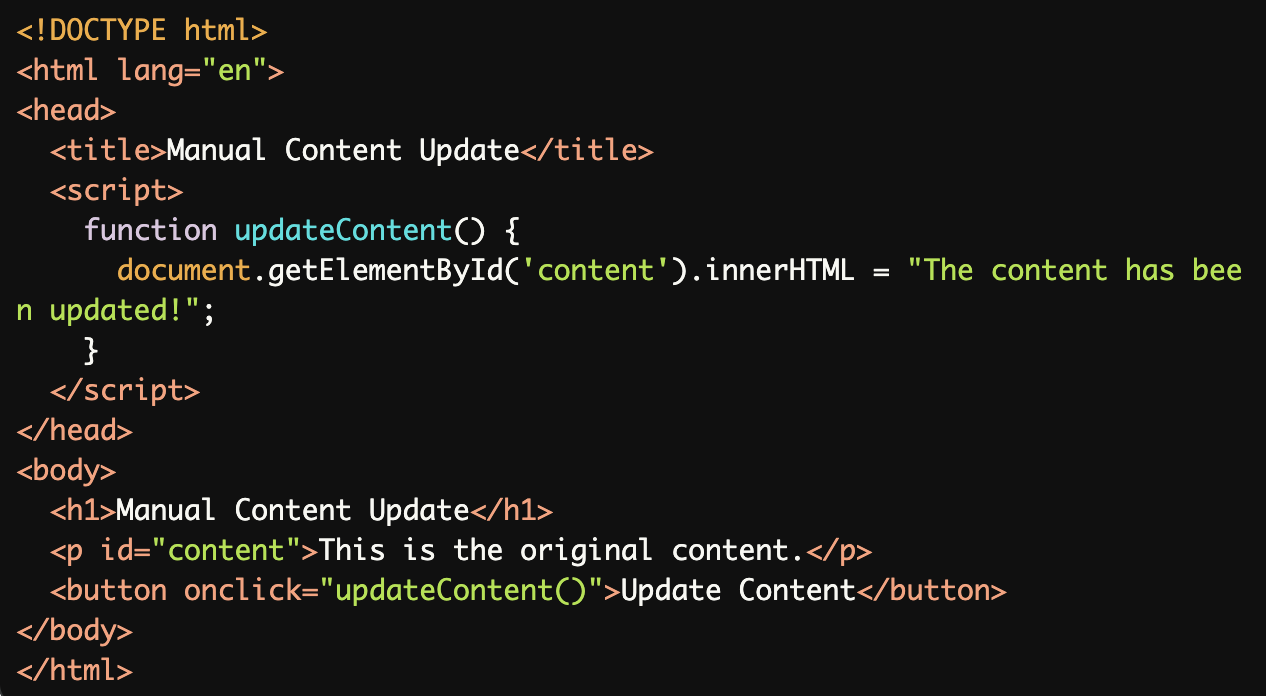
Providing Users the Option to Update Content:
Instead of auto-refreshing, users are given a button to manually update the content, providing full control over when updates occur.
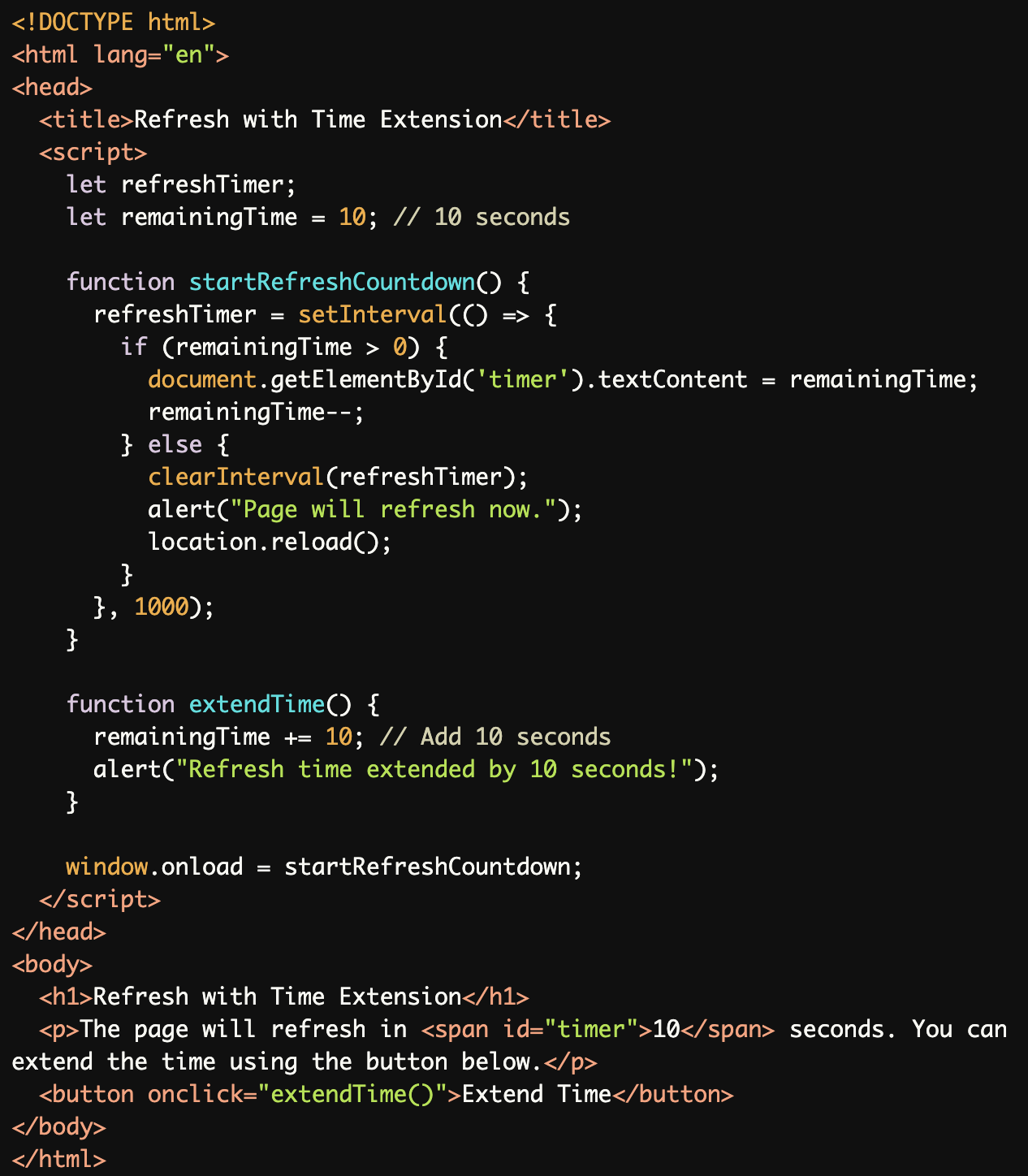
Refresh Warning with Time Extension:
Users are notified of an impending refresh with a visible countdown and can extend the refresh time using a button.
Common Errors to Avoid
Using
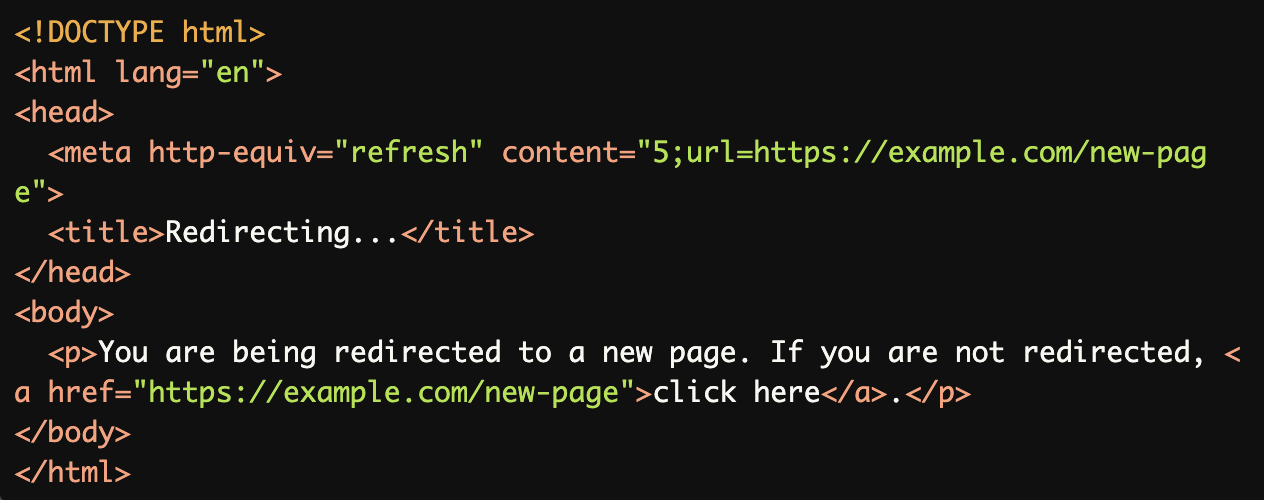
<meta http-equiv="refresh">for Auto-Redirect:
The<meta http-equiv="refresh">tag automatically redirects users after 5 seconds, disrupting screen readers and users who need more time.
Using
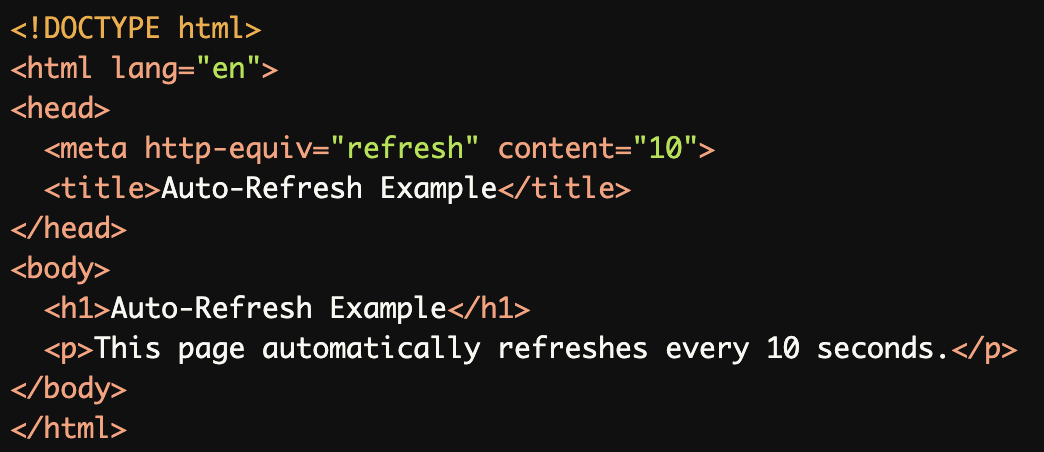
<meta http-equiv="refresh">for Periodic Refresh:
The<meta http-equiv="refresh">tag forces periodic refreshes, which can confuse assistive technology users and interrupt workflows.
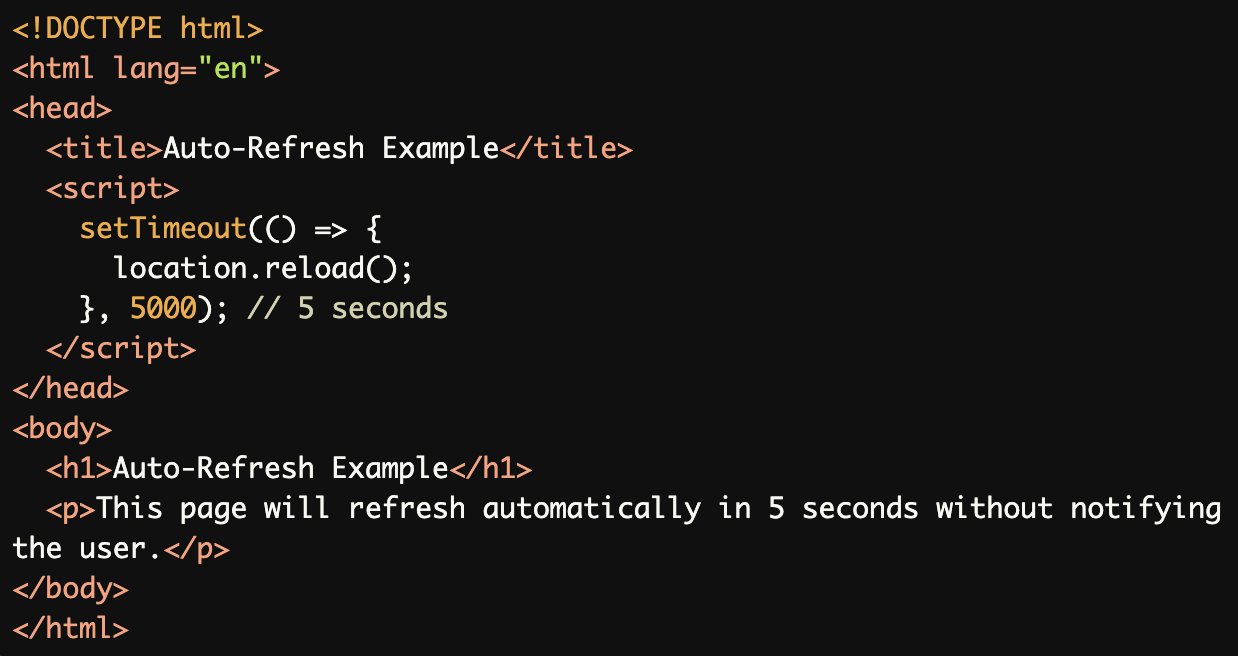
Auto-Refresh Without User Notification:
The page refreshes after 5 seconds without notifying users or providing a way to cancel, which can be disorienting.
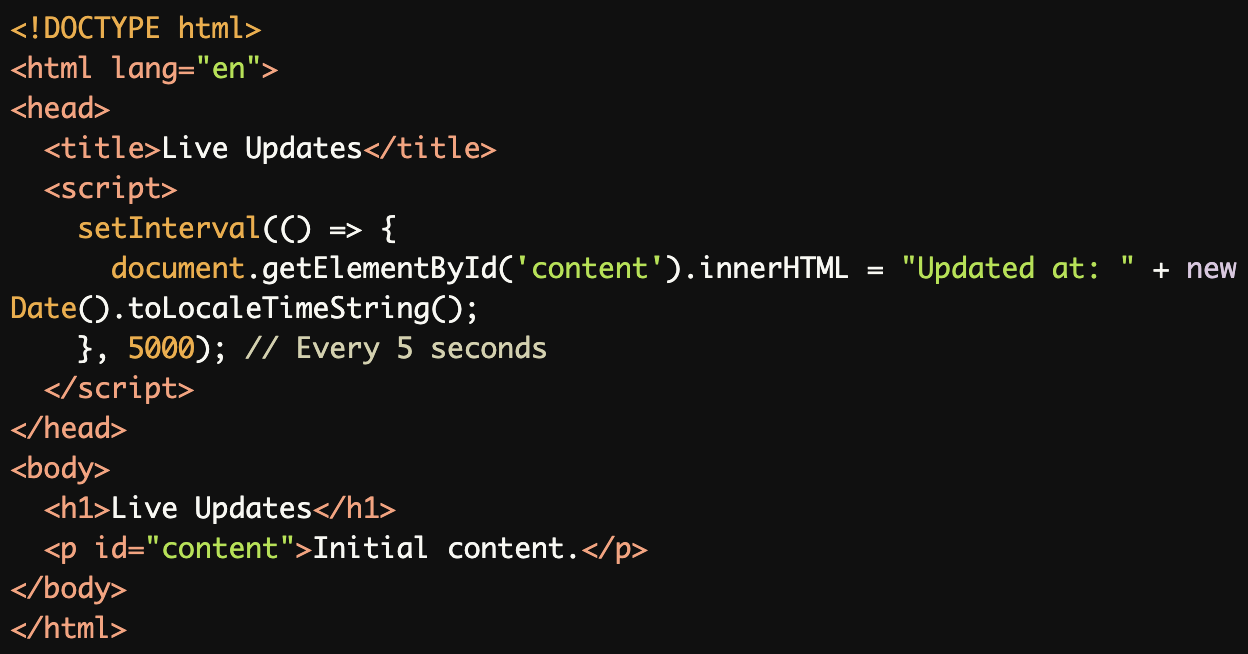
No Control Over Frequent Updates:
The content updates every 5 seconds without user control, which can be disruptive for screen reader users or those with cognitive impairments.
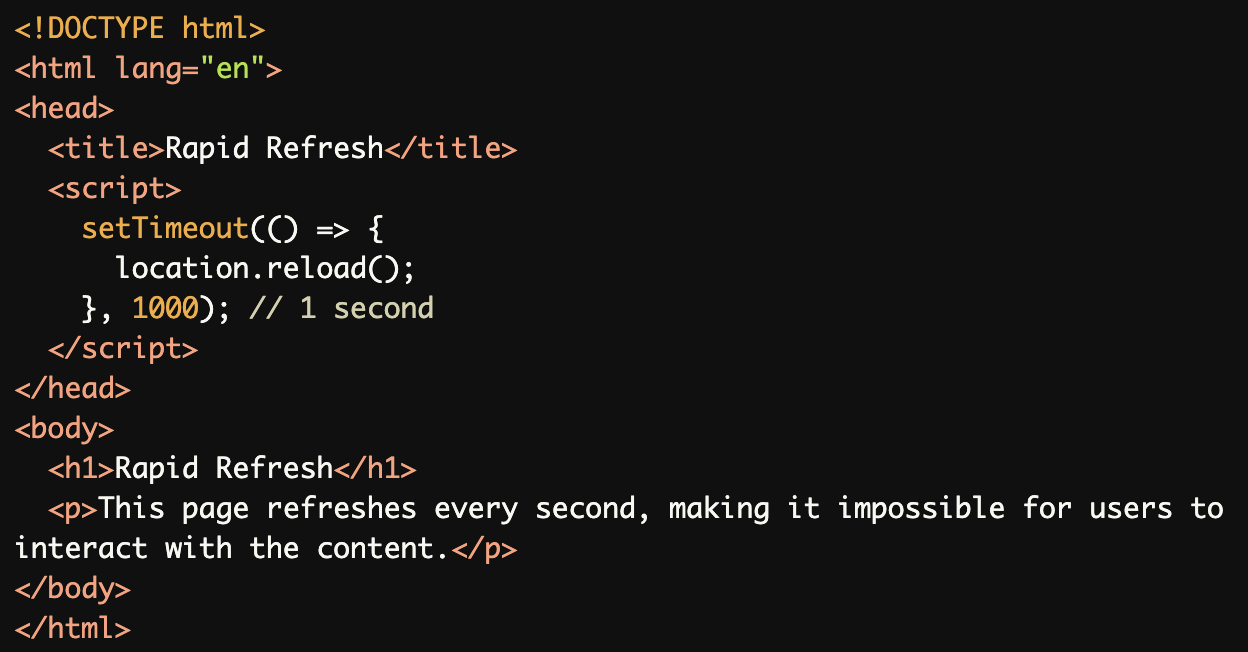
Refreshing Too Quickly:
A 1-second refresh interval disrupts user interaction and causes significant accessibility issues.
Rationale
Automatic refreshes are problematic because they:
Disorient users unexpectedly
Reset focus to page top
Interfere with screen readers
Prevent user control over timing
Create barriers for slow readers
Disrupt assistive technology usage
Evaluation Method
Inspect the Code
Check for the use of
<meta http-equiv="refresh">and ensure it is replaced with user-controlled alternatives.Verify that JavaScript-based refreshes include notifications, controls, or time extension options.
Test with Assistive Technology
Use a screen reader (e.g., NVDA, JAWS, or VoiceOver) to navigate the page and confirm that refreshes or updates are announced appropriately.
Ensure users can pause, cancel, or extend updates.
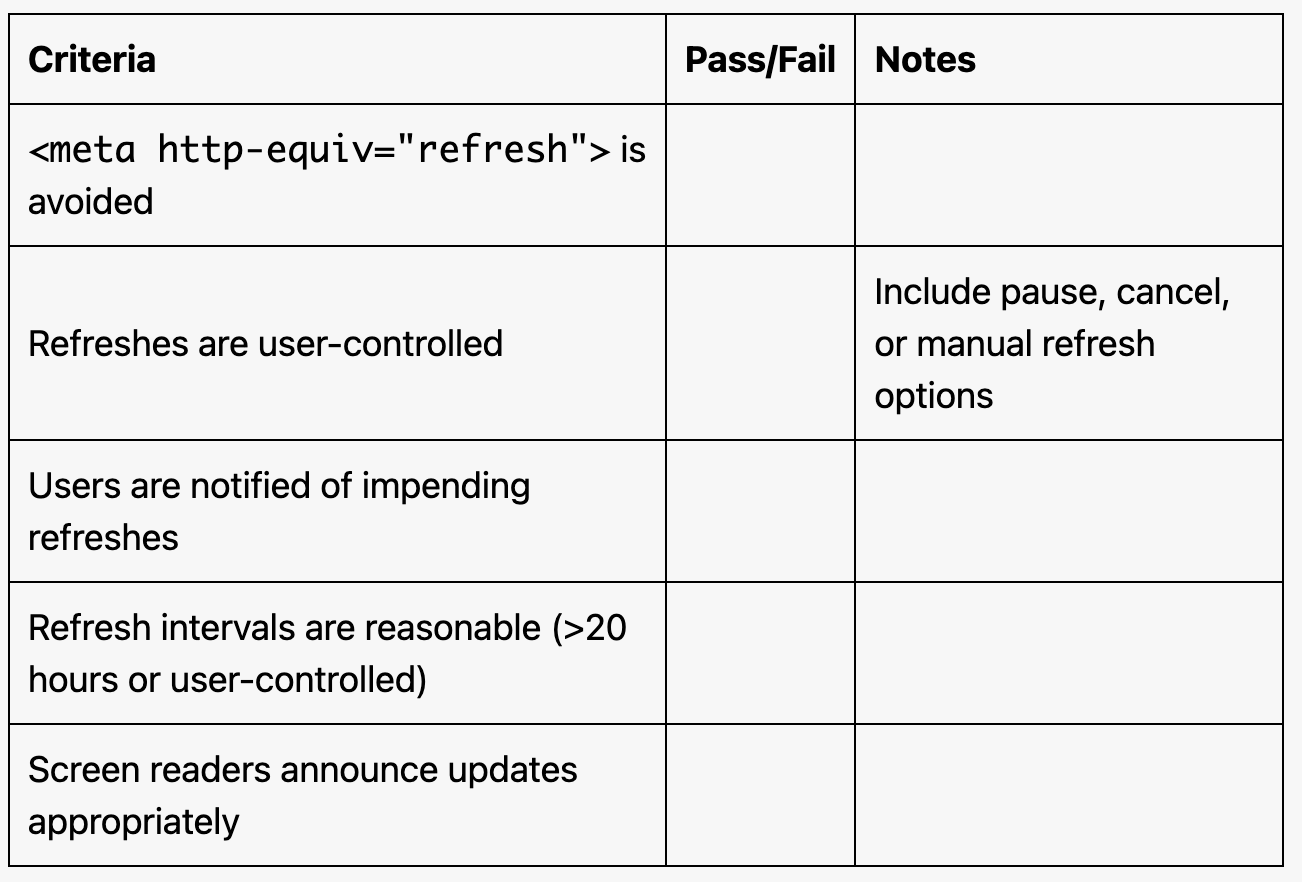
Evaluation Checklist