***This document provides helpful tips to improve your site's accessibility. While it doesn’t guarantee 100% compliance, it’s a great starting point to make your website more inclusive and user-friendly.***
Identification
<object> elements must have alternative text (Rule ID: object-alt)
Applicable Standards
WCAG 2.0, 2.1, 2.2 Level A (1.1.1)
Section 508 (1194.22)
EN 301 549
Impact
Serious level impact affecting:
Blind users
Deafblind users
Proper Implementation
Object elements must have text alternatives using one of:
aria-labelattributearia-labelledbyattributetitleattributePresentation/none role for decorative objects
Examples of Correct Usage
Using Fallback Text Inside the
<object>Element:
Fallback text provides an alternative for users whose browsers do not support the embedded PDF, ensuring the content remains accessible.

Using
aria-labelfor Accessible Description:
Thearia-labelattribute provides a concise description of the embedded object for screen reader users.

Using
aria-labelledbyto Reference an External Description:
Thearia-labelledbyattribute references an external element (<div>in this case) to provide a detailed description of the object.

Using the
titleAttribute for a Simple Description:
Atitleattribute is used to describe the content of the embedded video for screen reader users.

Marking Decorative
<object>as Presentation:
Therole="presentation"attribute marks the object as decorative, ensuring it is ignored by assistive technologies like screen readers.

Common Errors to Avoid
Missing Alternative Text or Fallback Content:
The
<object>element lacks both fallback content and alternative text, making it inaccessible to screen reader users and anyone whose browser does not support the object type.

Using Incomplete or Vague Alternative Descriptions:
Thearia-label("Chart") is too vague and does not provide meaningful information about the content, reducing its usefulness for screen reader users.

Missing role="presentation" for Decorative Objects:
A purely decorative<object>is missing therole="presentation", causing unnecessary announcements by screen readers.

Using
titleAttribute Without Fallback Content:
While thetitleattribute provides a description, the lack of fallback content means users without support for the embedded object cannot access the content.

Fallback Content Does Not Convey the Same Information:
The fallback content ("Placeholder text") does not provide equivalent information to the embedded object, leaving users without a meaningful alternative.

Rationale
Alternative text is essential because:
Screen readers cannot interpret non-text content
Users need to understand the object's purpose and content
Alternative text should convey same information as visual content
Helps users decide whether to interact with the object
Evaluation Method
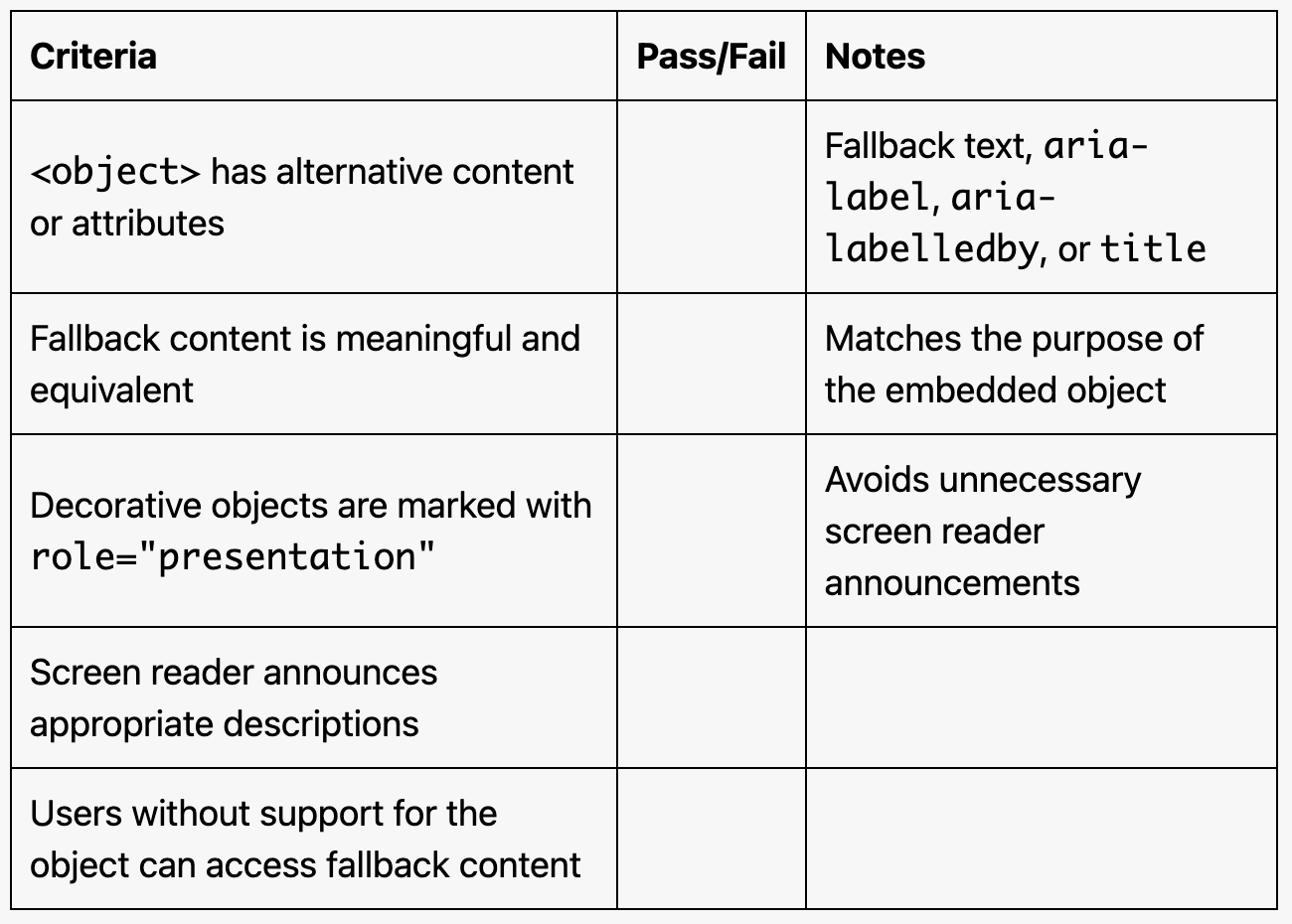
Inspect the Code
Ensure
<object>elements include at least one of the following:Fallback content inside the
<object>element.Descriptive attributes (
aria-label,aria-labelledby, ortitle).role="presentation"for purely decorative objects.
Test with a Screen Reader
Use a screen reader (e.g., NVDA, JAWS, or VoiceOver) to navigate the page.
Verify that the alternative text or fallback content is announced when the
<object>element is encountered.
Disable Embedded Object Support
Temporarily disable support for the embedded object type in your browser (e.g., disable PDF plugins).
Ensure fallback content or alternative text is displayed when the object cannot load.
Evaluation Checklist