***This document provides helpful tips to improve your site's accessibility. While it doesn’t guarantee 100% compliance, it’s a great starting point to make your website more inclusive and user-friendly.***
Identification
Deprecated ARIA roles must not be used in web content (Rule ID: aria-deprecated-role)
Applicable Standards
WCAG 2.0 Level A (4.1.2)
WCAG 2.1 Level A (4.1.2)
WCAG 2.2 Level A (4.1.2)
EN 301 549 (9.4.1.2)
Impact
Minor level impact affecting:
Blind users
Deafblind users
Users with mobility impairments
Proper Implementation
Use current WAI-ARIA roles only
Replace deprecated roles with modern alternatives
Follow WAI-ARIA specification guidelines
Use semantic HTML elements when possible
Verify role support in assistive technologies
Examples of Correct Usage
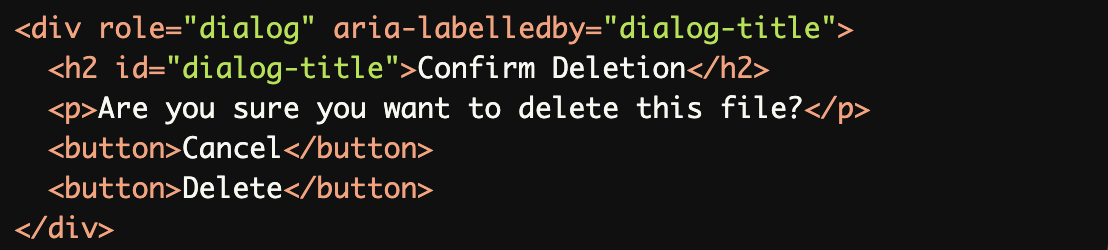
Using Modern ARIA Roles:
Thedialogrole is a current ARIA role that provides proper semantics for assistive technologies, ensuring users are aware of the modal dialog.
Replacing Deprecated
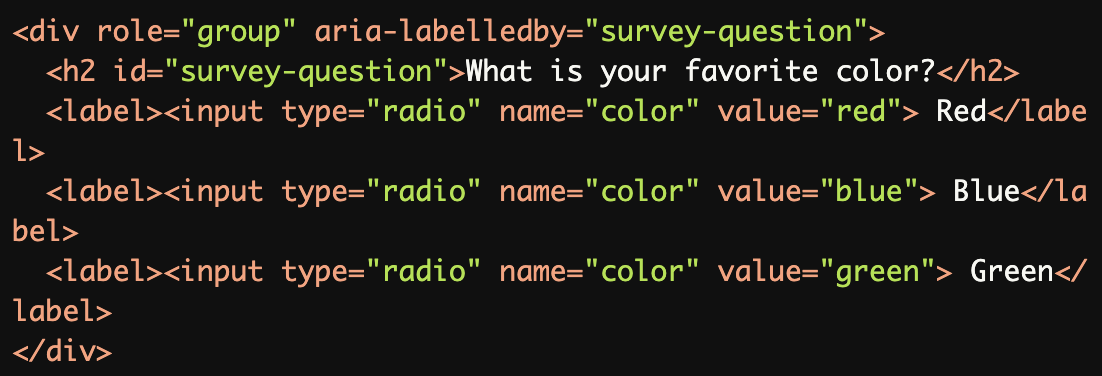
radiogroupRole:
Thegrouprole is used with modern form elements instead of the deprecatedradiogrouprole, ensuring proper semantics and functionality.
Using
bannerfor Page-Level Header:
Thebannerrole identifies the page's header in a modern and accessible way.

Using
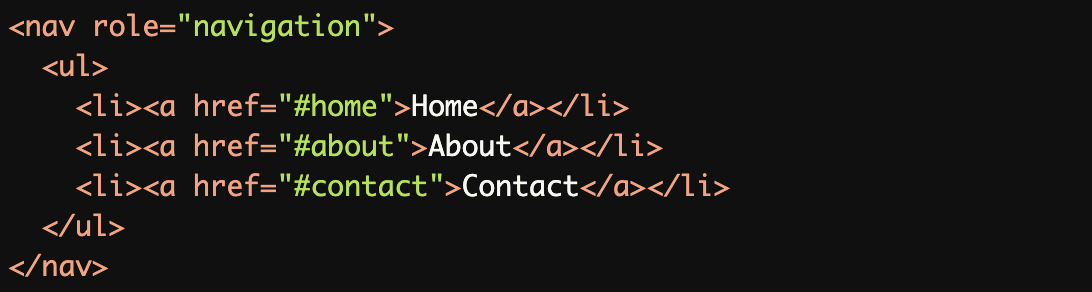
navigationRole for Menus:
Thenavigationrole is properly applied to the<nav>element, providing clear semantics for assistive technologies.
Replacing Deprecated
regionRole:The
<section>element witharia-labelledbyreplaces the deprecatedregionrole when used without accessible labeling.

Common Errors to Avoid
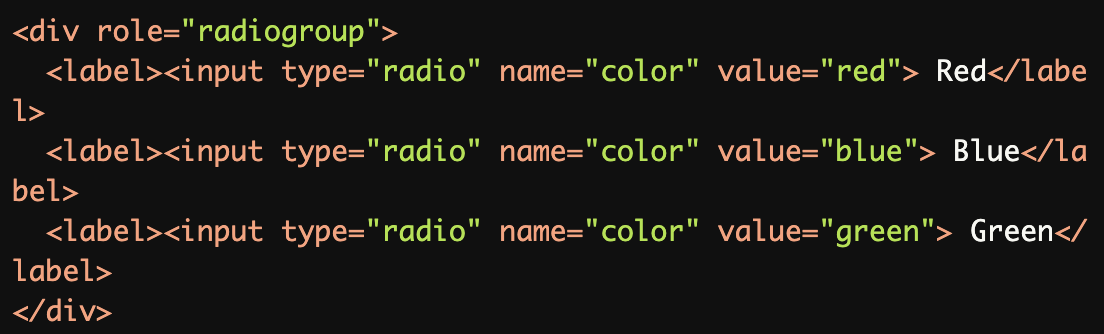
Using Deprecated
radiogroupRole:
Theradiogrouprole is deprecated and should be replaced with thegrouprole or semantic<fieldset>and<legend>elements.
Misusing Deprecated
regionRole Without Labeling:
Theregionrole is deprecated unless it is accompanied by an accessible name (e.g.,aria-labelledbyoraria-label).

Using Deprecated
tooltipRole:
Thetooltiprole is deprecated in favor of thearia-describedbyattribute, which provides better semantics for tooltips.

Using Nonexistent ARIA Roles:
Thedropdownrole is not a valid ARIA role and should be replaced with themenuorlistboxrole depending on the functionality.

Applying ARIA Roles to Native Elements Without Need:
Therole="button"is redundant because the<button>element already has built-in semantics.

Rationale
Ensures compatibility with modern assistive technologies
Maintains consistent accessibility support
Prevents accessibility barriers
Supports proper semantic structure
Enables reliable screen reader interpretation
Evaluation Method
Inspect the Code
Verify that:
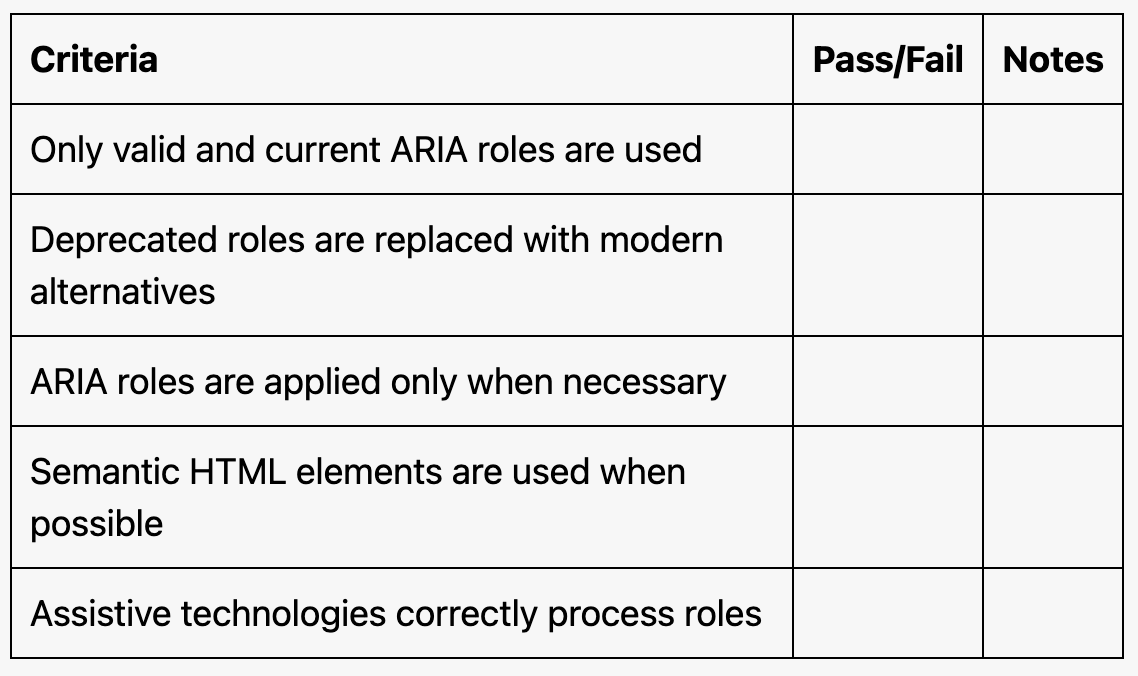
Only valid and current ARIA roles are used.
Deprecated roles are replaced with modern alternatives.
ARIA roles are applied only when necessary (e.g., avoid overriding native semantics).
Test with Assistive Technology
Use a screen reader (e.g., NVDA, JAWS, or VoiceOver) to confirm:
ARIA roles are announced correctly.
Deprecated roles do not cause unexpected behavior.
Evaluation Checklist